Crowdin's **AEM translation connector** lets you translate and localize your Adobe Experience Manager (AEM) content without ever leaving the author environment — available for both AEM as a Cloud Service and AEM 6.5 on-premises. Send pages, experience fragments, and content fragments to Crowdin for translation, track progress in real time, and get finished translations imported straight back into the right language copies — no exports, no manual uploads, no email threads.
## How it works
- We help you deploy it: whether you're on AEM as a Cloud Service or AEM 6.5 on-premises, our team walks you through the install.
- Connect once it's installed: an administrator links it to your Crowdin organization with a personal access token.
- Set your translation rules to control exactly which properties and references get sent to Crowdin.
- Create a job: pick pages, experience fragment variations, or content fragments, choose your target languages, and submit.
- Watch each item move through *Pending → In translation → Translated → Imported*, right from the AEM project page.
## Screenshots
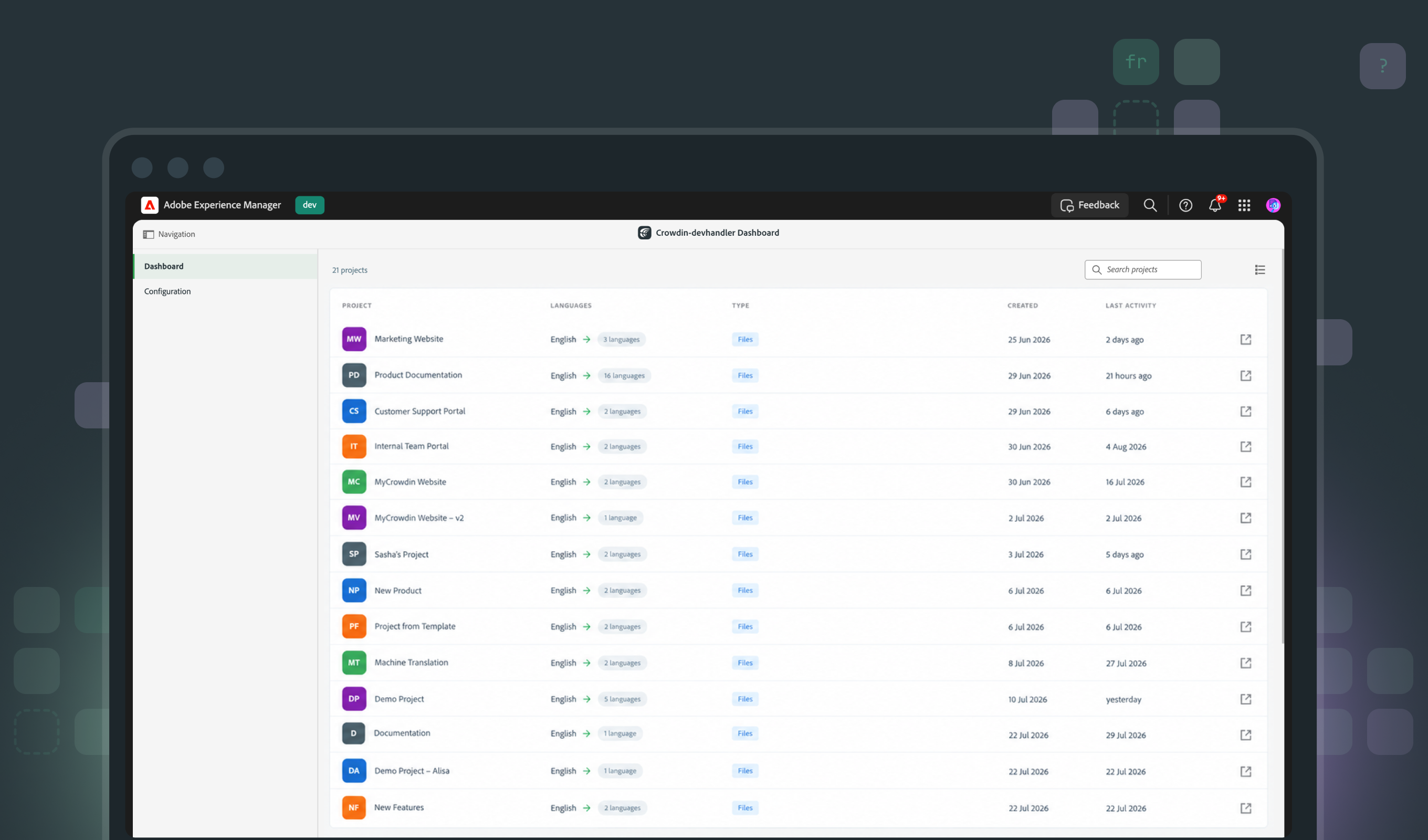
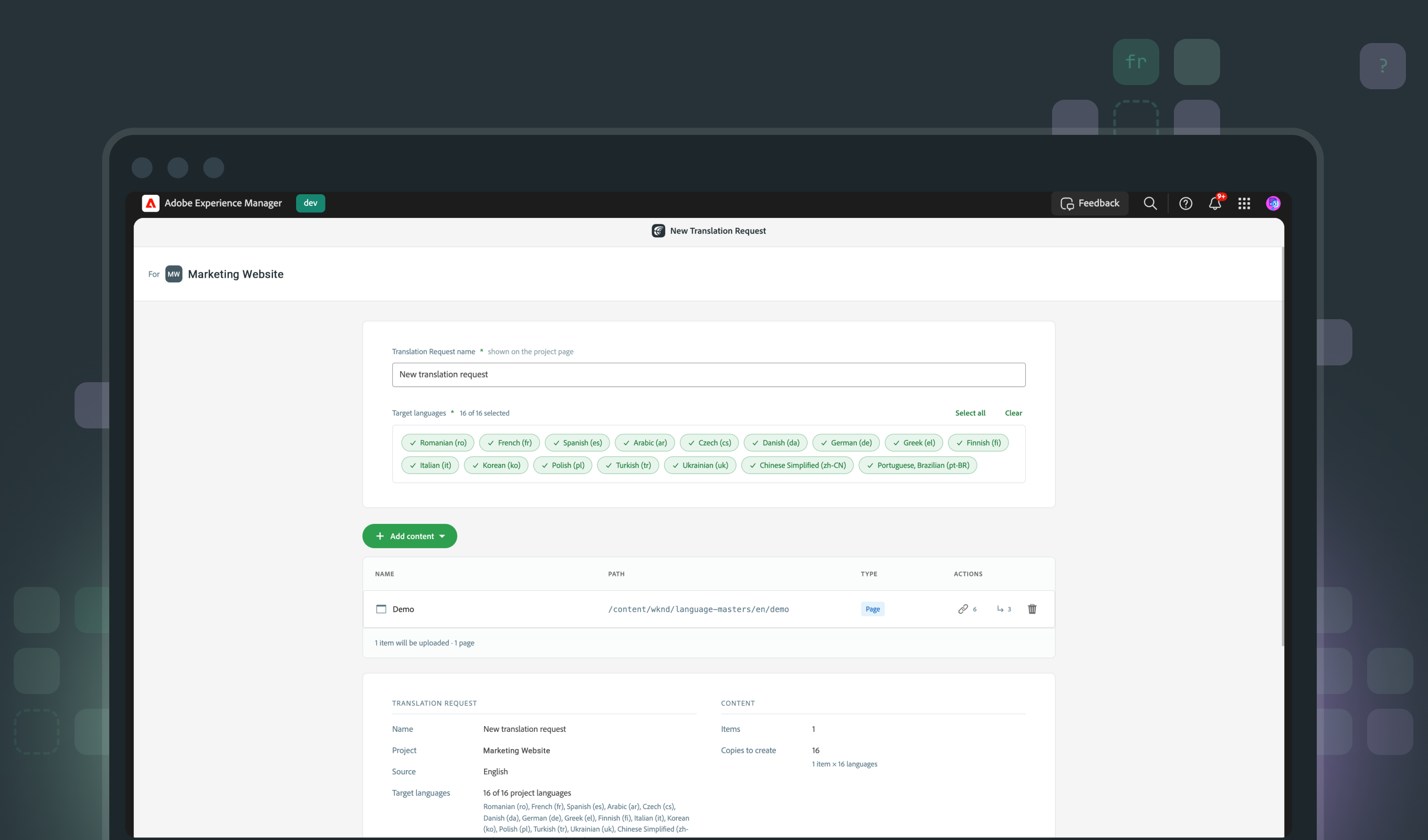
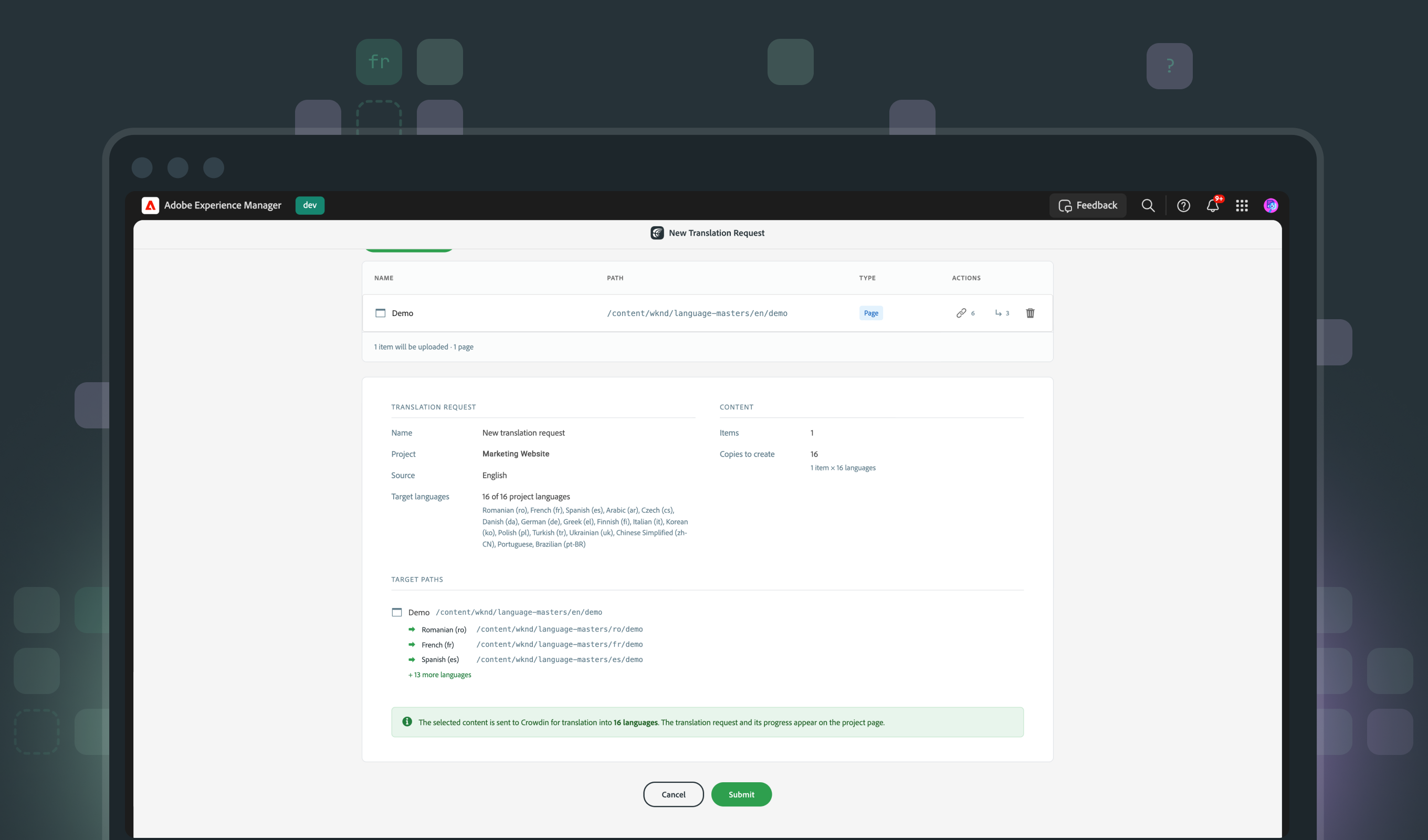
## Built for real AEM projects
- Automatically rewrites internal links and asset references to point to the correct language copy
- Content fragment models take priority over translation rules, so translatable fields defined in the model are always respected
- Overlapping jobs are handled gracefully — superseded entries and archived jobs keep a full history without cluttering your active queue
- Every job shows the exact target path for each item, in each language, on the review screen — before you hit Submit
### For your Security and Platform team
- Deployed like real code, not a manual plugin. The connector ships as a Maven Central dependency embedded in your project and installed through your existing Cloud Manager pipeline — versioned, reviewed, and rolled back the same way as everything else in your repo. No manual package installs, no out-of-band changes to your environment.
- Nothing opens inward. The connector only makes outbound calls to Crowdin using your personal access token — your author instance never needs to be externally resolvable or added to a third party's firewall allowlist.
Crowdin is an Adobe Silver Technology Partner.
## Getting started
Contact our sales team at [sales@crowdin.com](mailto:sales@crowdin.com), and we'll walk you through pricing and deployment for your AEM environment.
 ## Getting started
Contact our sales team at [sales@crowdin.com](mailto:sales@crowdin.com), and we'll walk you through pricing and deployment for your AEM environment.