# Iterable
> Make your Iterable ready for global audience
URL: https://store.crowdin.com/iterable-app
Identifier: iterable-app
Category: Marketing
Type: App
Author: Crowdin
OpenAPI spec: https://store.crowdin.com/iterable-app/openapi.json
Translate your Iterable content with ease. Setup integration once, define your localization workflow and spend less time managing translations.
> Iterable is a cross-channel marketing platform that powers unified customer experiences and empowers businesses to create, optimize and measure every interaction across the entire customer journey.
## Features at a glance
- Email templates translation.
- In-App Templates translation.
- Push Templates translation.
- SMS Templates translation.
- Snippets translation.
- Manual content synchronization before and after translation.
- WYSIWYG file preview for translators.
- Quick sync and translation of even minor content updates, like a new sentence or a changed word.
## Iterable translation connector overview
## Setting up the Iterable connector
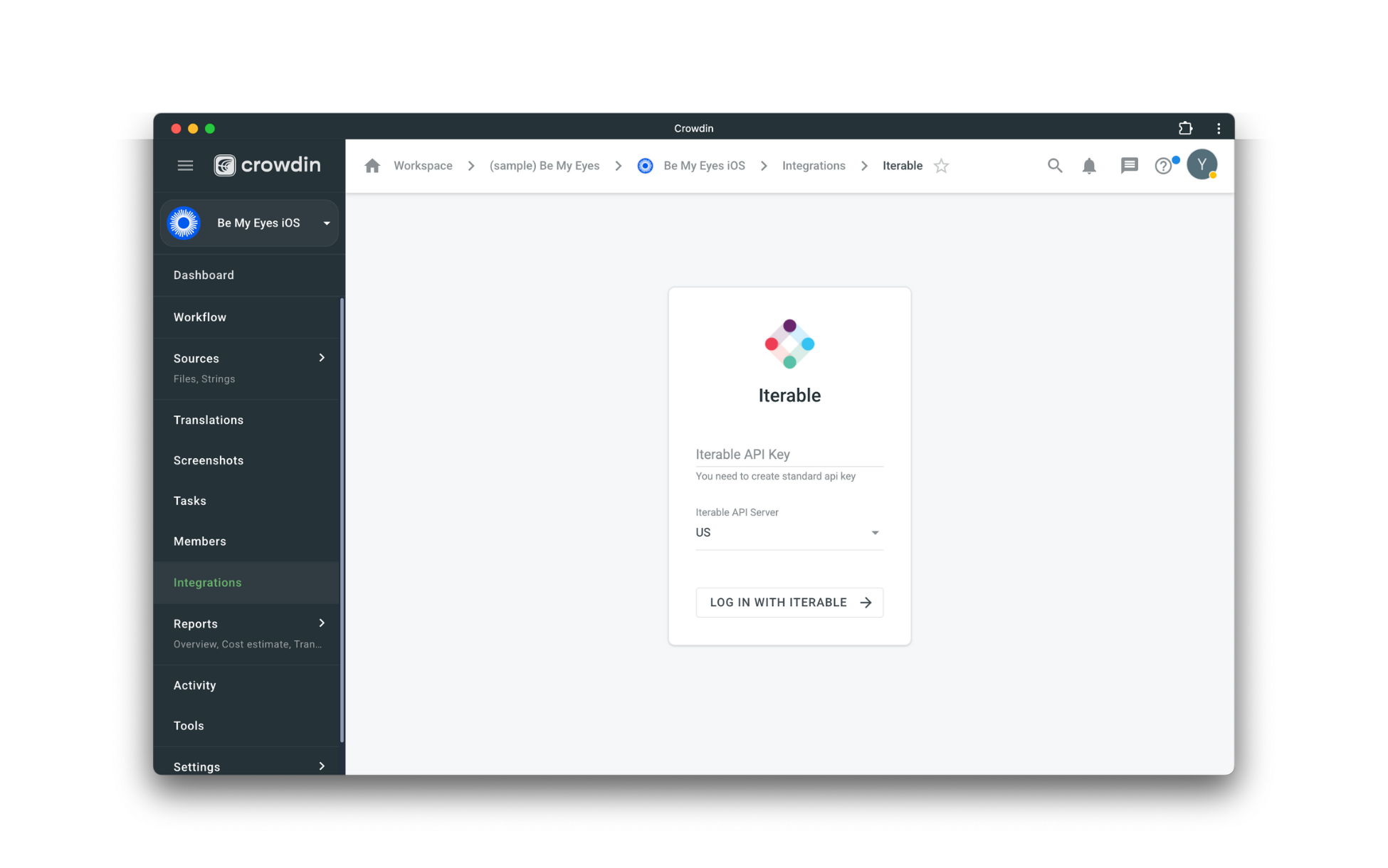
After installing the application, you will find it in your project *Integrations* section.
Follow the instructions on the screen to connect your Iterable account.
## Manual synchronization
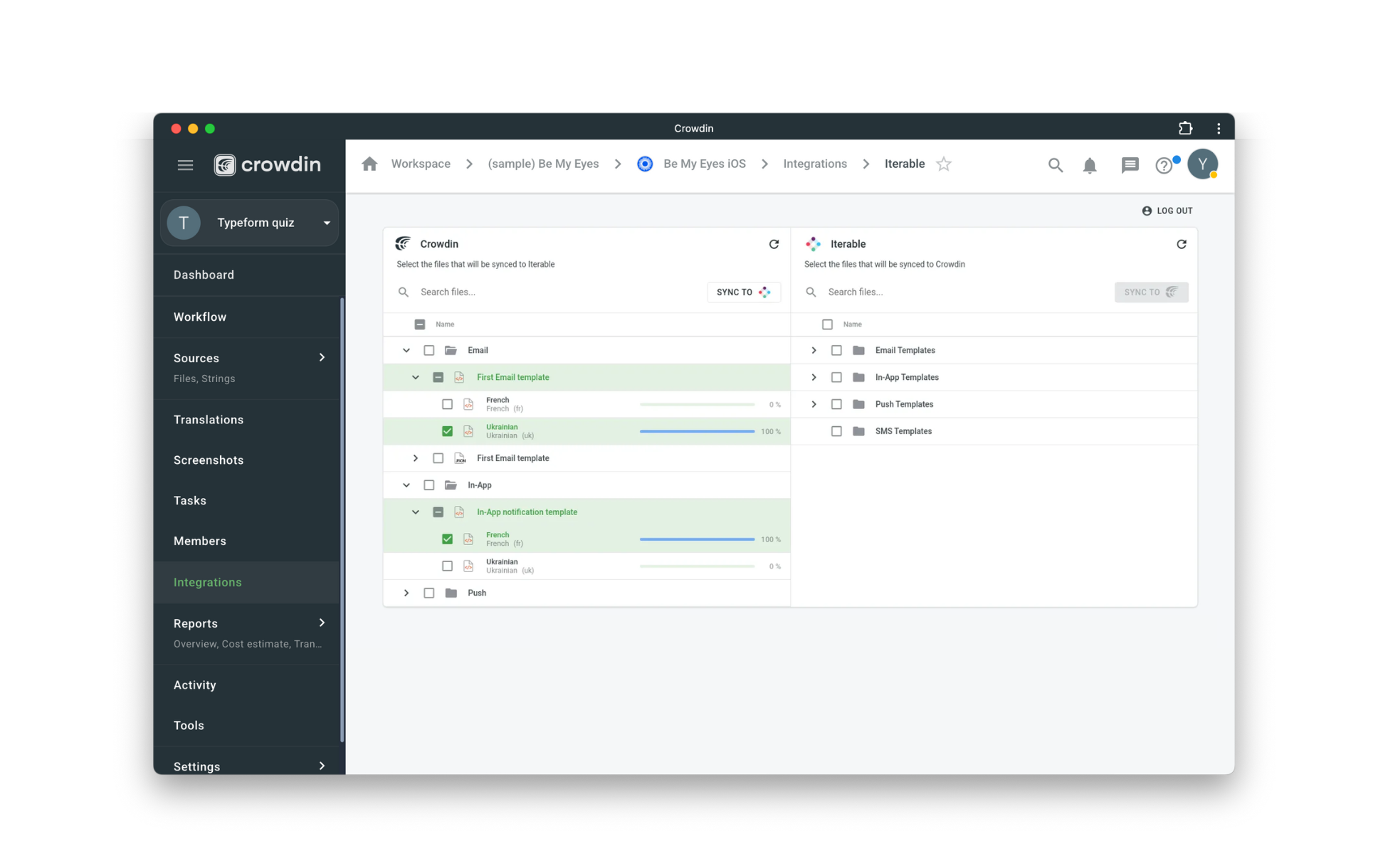
To import content for translation from Iterable, follow these steps:
1. Open the Iterable integration.
2. In the Iterable section (right panel), select the files that should be translated.
3. Click Sync.
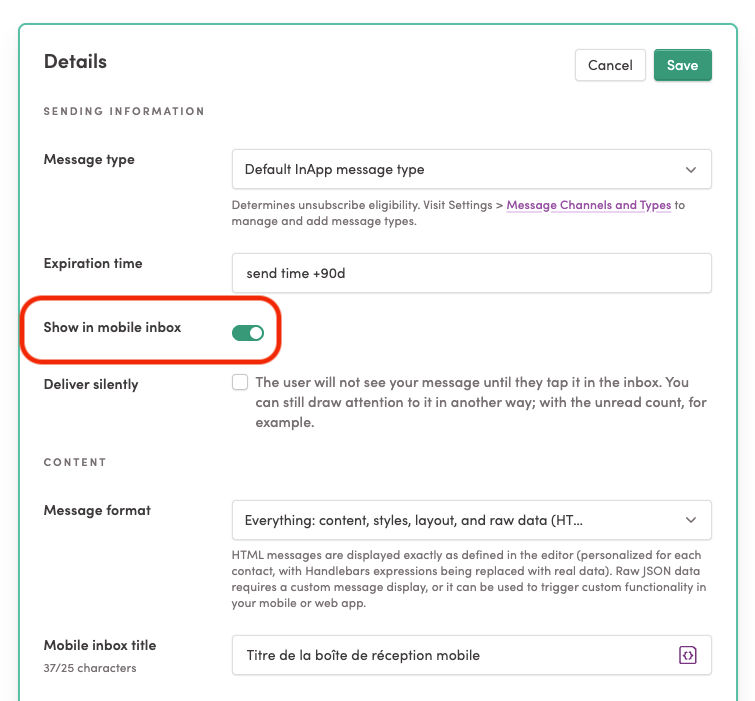
**Note:** The app supports translating in-app notification text, including preview fields. After importing the translated content, you must manually re-enable the *"Show in mobile inbox"* option if it was set in the source.
To export translations to Iterable, follow these steps:
1. Open the Iterable integration.
2. In the left section, select the files that will be synced to Iterable.
3. Click Sync to Iterable.
## Subscription
The free trial is 14 or 30 days depending on the subscription plan.
## Resources
- [Guide](https://support.iterable.com/hc/en-us/articles/4406111598228-Integrating-Crowdin-with-Iterable-)
- [API Reference](https://iterable-app.awesome-crowdin.com/api-docs): [OpenAPI spec](https://iterable-app.awesome-crowdin.com/api-docs/swagger.json)
 To export translations to Iterable, follow these steps:
1. Open the Iterable integration.
2. In the left section, select the files that will be synced to Iterable.
3. Click Sync to Iterable.

## Subscription
The free trial is 14 or 30 days depending on the subscription plan.
## Resources
- [Guide](https://support.iterable.com/hc/en-us/articles/4406111598228-Integrating-Crowdin-with-Iterable-)
- [API Reference](https://iterable-app.awesome-crowdin.com/api-docs): [OpenAPI spec](https://iterable-app.awesome-crowdin.com/api-docs/swagger.json)