# JSON HTML
> Translation of JSON files with HTML content
URL: https://store.crowdin.com/json-html
Identifier: json-html
Category: File Formats
Type: App
Author: Awesome Crowdin
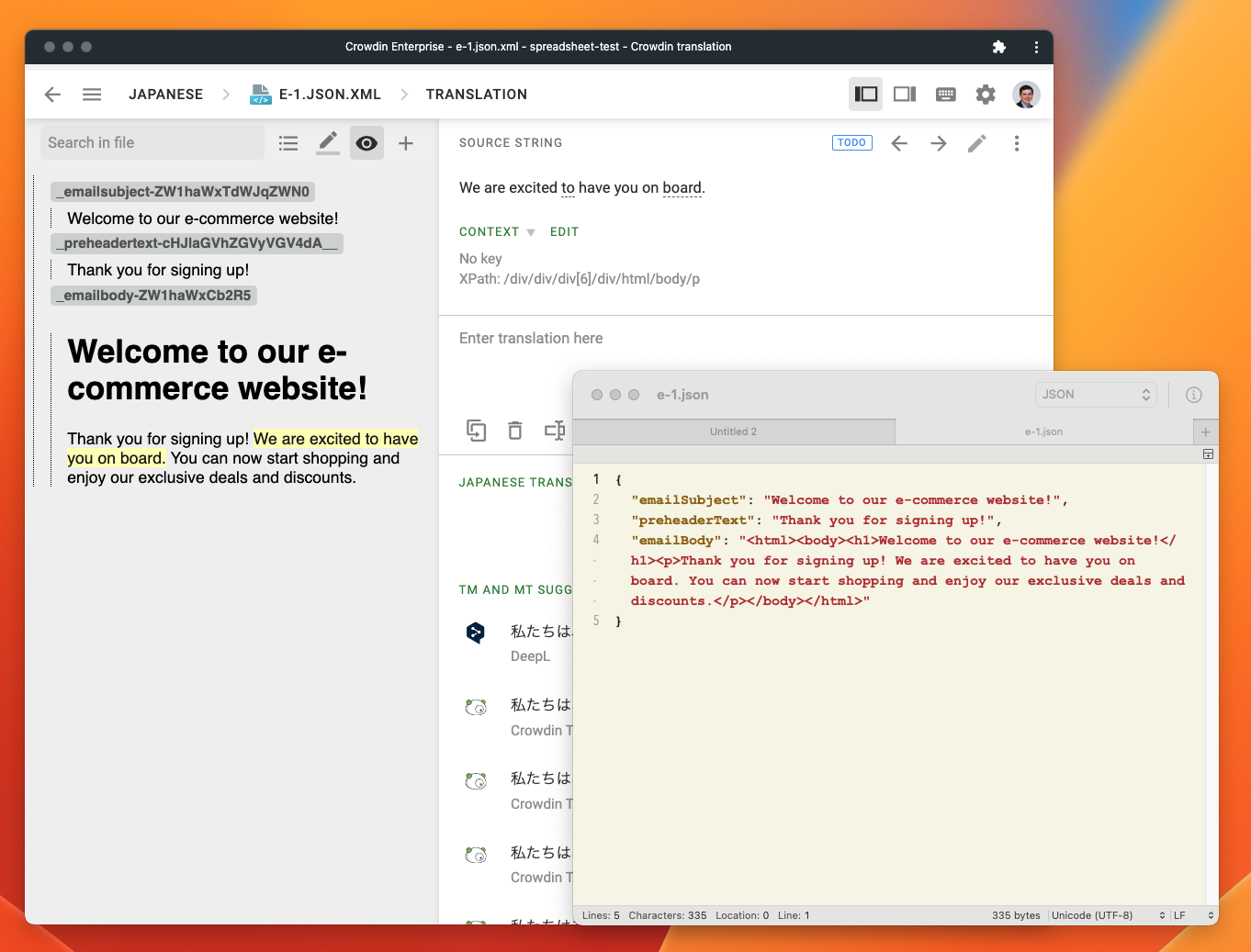
This application helps to translate JSON files whose properties may contain long HTML content.
**Note:** when installing the application, make sure to select projects where it will be used so that the application does not interfere with all projects importing JSON files.
## Screenshot
## File Format Details
| Attribute | Value |
| --------- | ----- |
| File Extension | .json |
| [API Type](https://developer.crowdin.com/api/v2/#operation/api.projects.files.post) | json-html |
| Source can be edited in Crowdin | No |
| Generating translated files via [Bundles](https://support.crowdin.com/bundles/) | [Search Crowdin Store](https://store.crowdin.com/tags/string-exporter) |
| Supports pluralization | No |
| WYSIWYG Preview in the editor | Yes |
| Supported types of contextual information | WYSIWYG |
| Custom attributes | No |
| Existing translations import possibility | ML-based technology |
## Sample File
```json
{
"title": "Example Title",
"html": "This is some example HTML content.
"
}
```
## Updating the source file via API
JSON HTML works by converting JSON files to WebXML and also renamed the files from `%original-name%.json` to `%original-name%.json.xml`.
When updating a file via API, you need to specify `%original-name%.json` as the name in the [Update or Restore File](https://support.crowdin.com/developer/api/v2/#tag/Source-Files/operation/api.projects.files.put) call.
The full process of updating a file when using JSON HTML is (pseudo code):
**1. Create file**
```
storage = addStorage('tmp.json', filecontents)
addFile('original-name.json', storage) // file is renamed original-name.json.xml
```
**2. Update file**
```
storage = addStorage('tmp.json', updatedFileContents)
file = findFile(…)
updateOrRestoreFile(file.id, storage.id, name: 'original-name.json') // the name is key here
```