Sync your Crowdin glossaries with DeepL for consistent translations
Requires Crowdin account
About

DeepL offers a feature that lets you use your glossaries for consistent MT translations. The DeepL Translator engine in Crowdin can apply glossaries stored in your DeepL account.
This tiny app allows you to sync glossaries from Crowdin to DeepL and keep them updated if you manage glossaries in Crowdin.
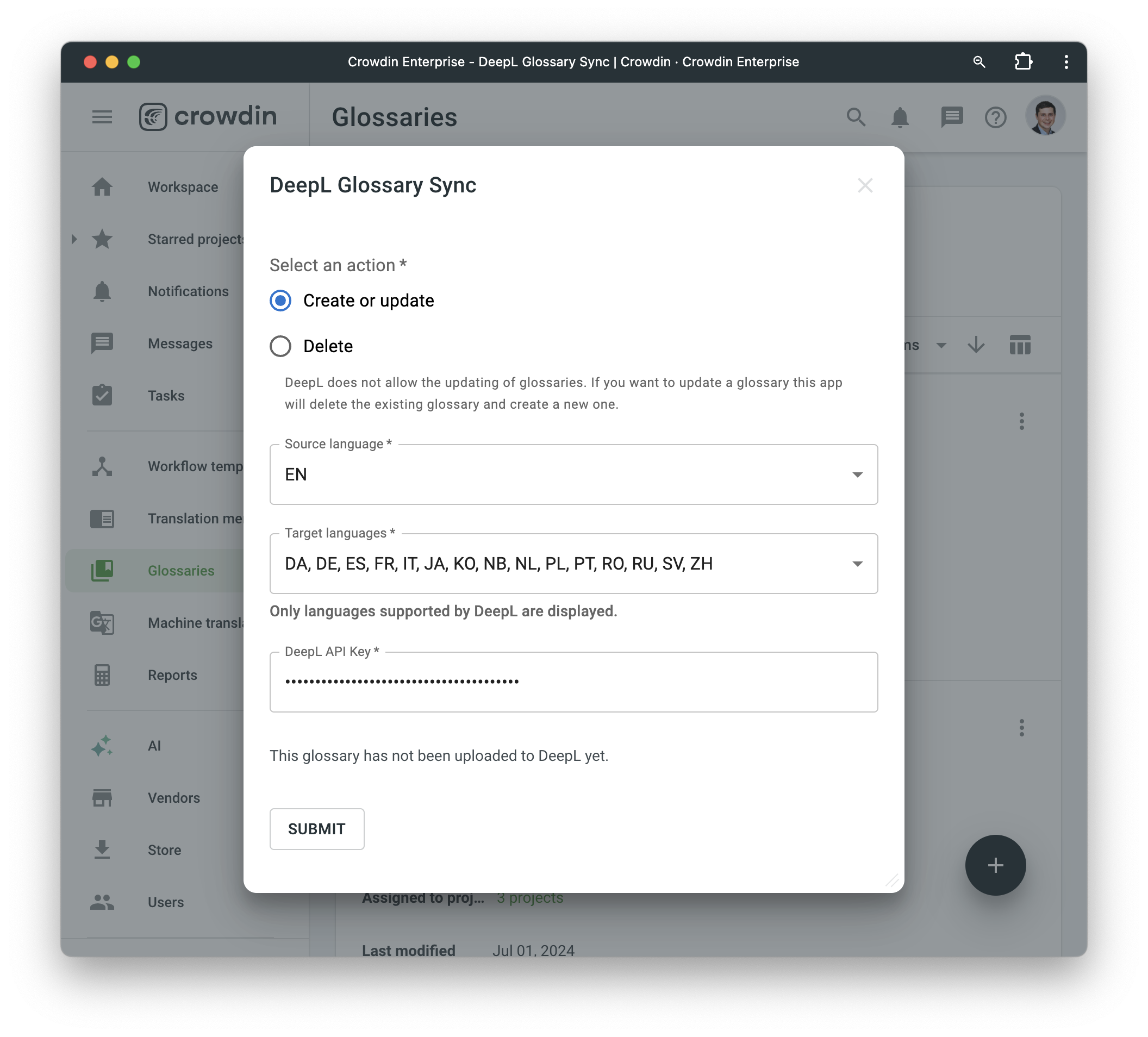
Once installed, this application will register a new menu item in the context menu of each glossary. You will be able to select the source and target languages of the glossaries you want to synchronize. The app will also prompt you for your DeepL API key. To apply the synced glossaries to machine translations, use the same API key in your DeepL Translator engine settings in Crowdin and select the glossaries there.
Screenshot
-


Crowdin is a platform that helps you manage and translate content into different languages. Integrate Crowdin with your repo, CMS, or other systems. Source content is always up to date for your translators, and translated content is returned automatically.
Learn More- —Crowdin Enterprise
- —crowdin.com
Released on Aug 22, 2024
Updated on Oct 13, 2026
Published by Awesome Crowdin
Identifier:deepl-glossary-sync