Auto-translate each file with the right method, into the right languages

Legal pages need a formal tone. Docs are fine with machine translation. App strings mostly repeat what's already in your translation memory. Crowdin's built-in auto-translation treats them all the same: one method per language, for every file. So you either spend AI credits on content your TM would cover, send marketing pages through MT, or run pre-translation by hand after every upload.
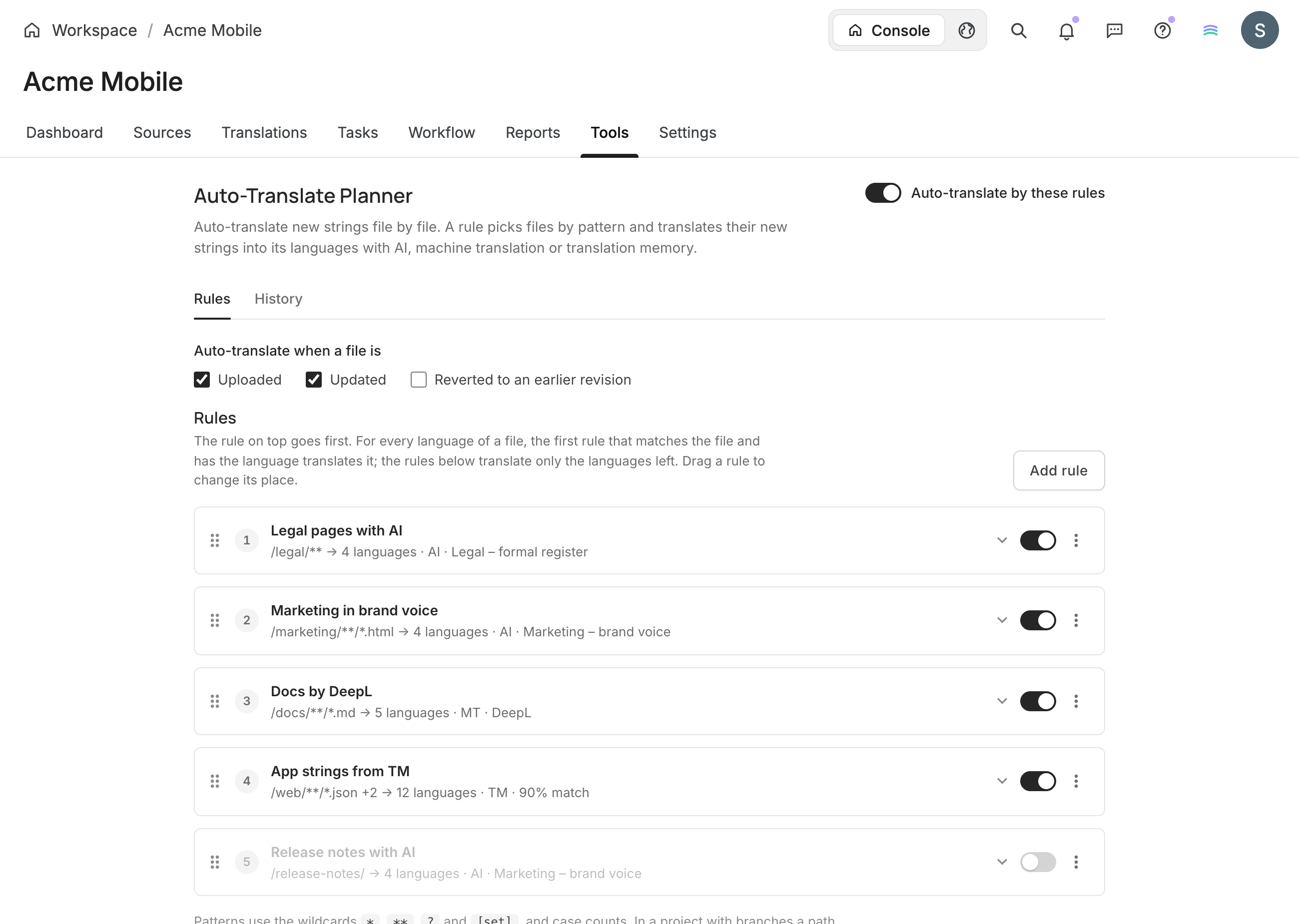
Auto-Translate Planner lets you set rules instead. Each rule picks files by pattern and gives them their own target languages and method – AI, a machine translation engine or your translation memory. New strings are translated when a file is uploaded or updated.
Why use it
- Spend AI credits where quality matters. Send legal pages through AI with formal instructions, docs through DeepL, and app strings through your TM.
- Translate a file only into the languages it needs. Legal pages go into the 4 markets you operate in, app strings into all 12.
- No more pre-translation by hand. Rules run on their own, whether files come from the UI, the API, the CLI, or an integration.
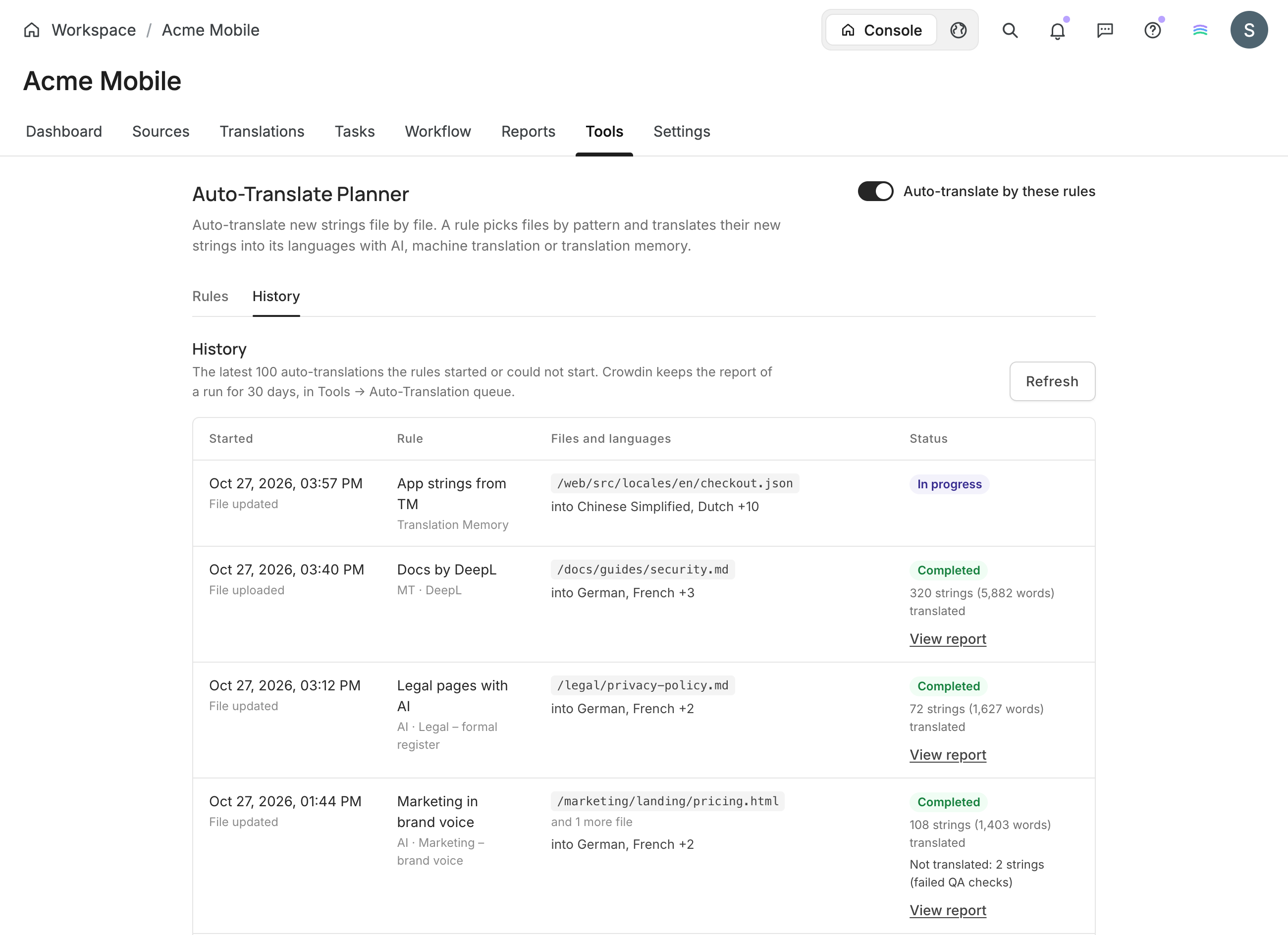
- See what happened to every file. History shows what was translated and with which method – and why some strings weren't, such as failed QA checks or no AI credits.
How it works
- Open the app in a project's Tools and add rules: the files, the target languages and the method.
- Choose when rules run: when a file is uploaded, updated or reverted to an earlier revision.
- Turn on Auto-translate by these rules. Every run then shows up in History.
Need to translate content that's already in the project? Run now does it right away.
Setting up rules
- Patterns pick files as in
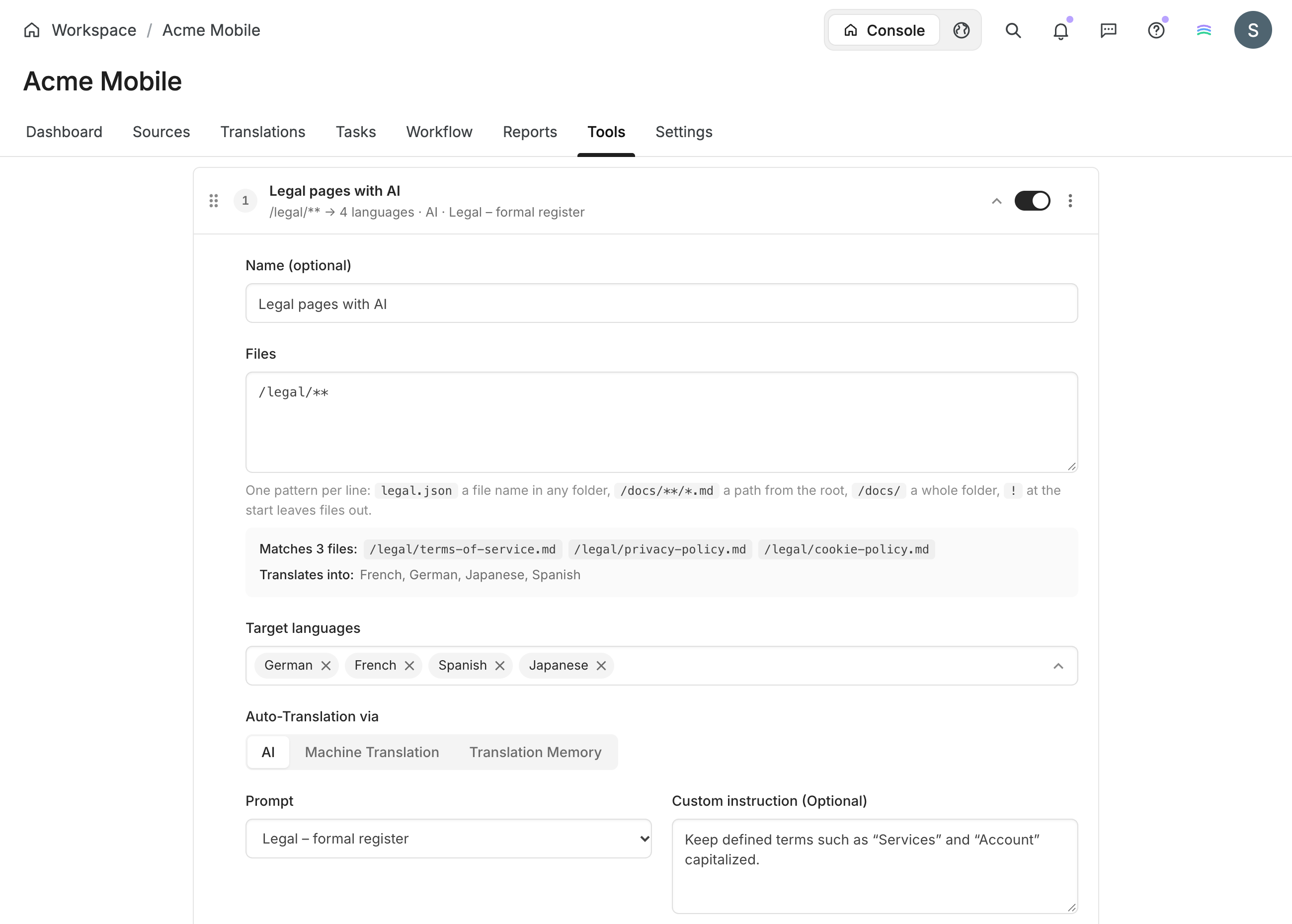
crowdin.yml, and!leaves files out. A live preview shows which files a rule matches and the languages it translates them into. - The rule on top goes first. For every language of a file, the first matching rule with that language translates it. Drag rules to change the order.
- Methods: AI with your saved instructions and an optional custom instruction for the rule, a machine translation engine, or translation memory with the same approval options as Crowdin's built-in Auto-Translate.
History
Every run shows what started it, the files and languages, and how many strings and words were translated – or why some weren't. View report opens Crowdin's full report, and Run again retries a run that didn't start.
Good to know
- Only strings without a translation are sent for translation.
- Works in file-based and string-based projects. In a string-based project, rules match branch names and can also translate edited strings.
- The app warns you when Crowdin's built-in auto-translation already covers a rule's language.
- Translations are added on behalf of the owner of the Crowdin account or organization.
Where to find it
After installation, open Tools in a project and choose Auto-Translate Planner. Rules are set per project, by the project owner and managers.


Crowdin is a platform that helps you manage and translate content into different languages. Integrate Crowdin with your repo, CMS, or other systems. Source content is always up to date for your translators, and translated content is returned automatically.
Learn More- —crowdin.com
- —Crowdin Enterprise
Released on Oct 28, 2026
Updated on Oct 28, 2026
Published by Crowdin
Identifier:auto-translate-planner