
Requires Crowdin account
Turn your translators' edits into glossary terms and style guide rules that make AI translations better over time.
Every time a human corrects an AI translation, they reveal something the AI didn't know — a preferred term, a tone of voice, a locale-specific convention. Usually that knowledge disappears into the edit history. Crowdin Dreams captures it: the app continuously compares AI translations with their human corrections, detects repeating patterns, and turns them into actionable suggestions — "dreams" — you can apply with one click.
Applied suggestions feed straight back into your AI resources, so the next pre-translation makes fewer of the same mistakes — and your team spends less time correcting them.
What you get

Dreams come in two categories:
- Glossary terms — words and phrases your translators consistently correct to a specific translation. Applying one adds it to your project glossary.
- Style guide rules — recurring patterns beyond terminology: tone, formality, punctuation, date/quote formatting, and other locale conventions. Applying one appends it to your style guide, where AI pre-translation picks it up automatically.
Each suggestion shows the reasoning and real before/after examples from your own project, so reviewers can judge it in seconds. Apply it, or dismiss it — dismissed suggestions won't come back.
How it works
- Install the app and open its settings from your organization settings (Crowdin Enterprise) or profile settings (Crowdin).
- Pick an AI model — any provider configured in your AI settings works: Crowdin AI, Anthropic, OpenAI, Google Gemini, Mistral, Azure OpenAI, Amazon Bedrock, and others. No extra API keys needed.
- Enable the projects you want analyzed — nothing is analyzed until you opt in.
.png)
- Let it work in the background. Once a day the app collects fresh human corrections of AI translations in enabled projects and analyzes them. Need results right away? Hit Generate Now on the project's Dreams tab.
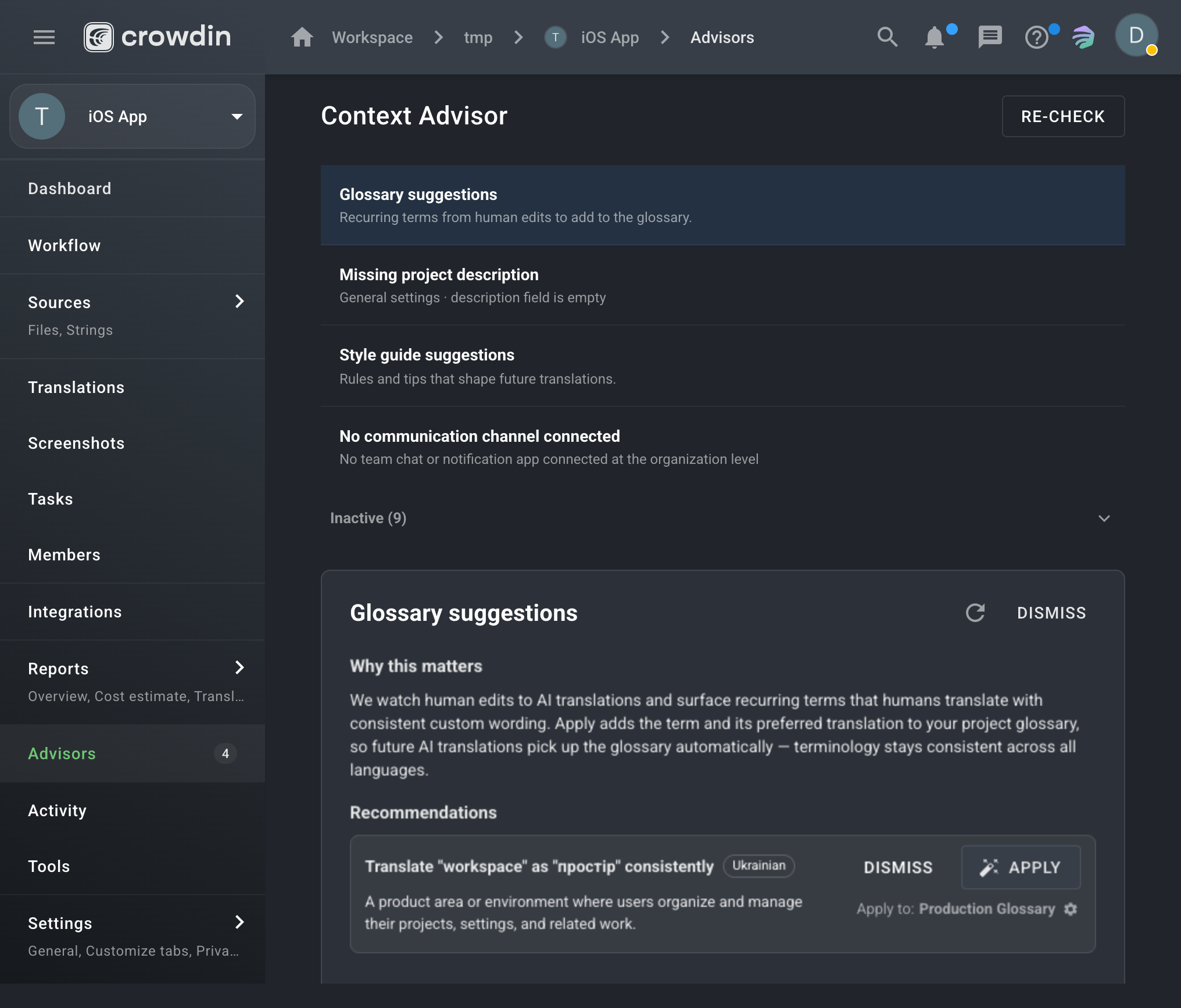
- Review and apply suggestions from the Dreams tab in project Tools — or directly from the Project Advisor cards, which surface pending glossary and style guide suggestions per project.
Key benefits
- Compounding quality — every applied suggestion improves all future AI translations, not just one string.
- Grounded in your data — suggestions come only from your translators' actual corrections, with examples to prove it.
- Any AI provider — uses the model you already have configured in Crowdin's AI settings.
- Zero workflow changes — translators keep working as usual; the app learns silently in the background.
- Human in the loop — nothing changes your glossaries or style guides until a person approves it.
- Full transparency — an Issues tab shows any analysis that failed and lets you retry it in place.
Notes
- Projects are opt-in: after installation, no projects are analyzed until you enable them.
- An organization admin must select an AI model in the app settings and have that provider enabled in Crowdin AI settings.
- Analysis quality grows with volume — the more AI pre-translation + human editing activity a project has, the better the suggestions.


Crowdin is a platform that helps you manage and translate content into different languages. Integrate Crowdin with your repo, CMS, or other systems. Source content is always up to date for your translators, and translated content is returned automatically.
Learn More- —crowdin.com
- —Crowdin Enterprise
Released on Jul 7, 2026
Updated on Nov 4, 2026
Published by Crowdin
Identifier:crowdin-dreams