
Export Comments BetaFree
Export comments from your Crowdin project with filtering options for files and date ranges.
Get
Requires Crowdin account
About

Export project comments and issues with advanced filtering options. Get CSV files with comments, issues, and full string metadata.
How it works
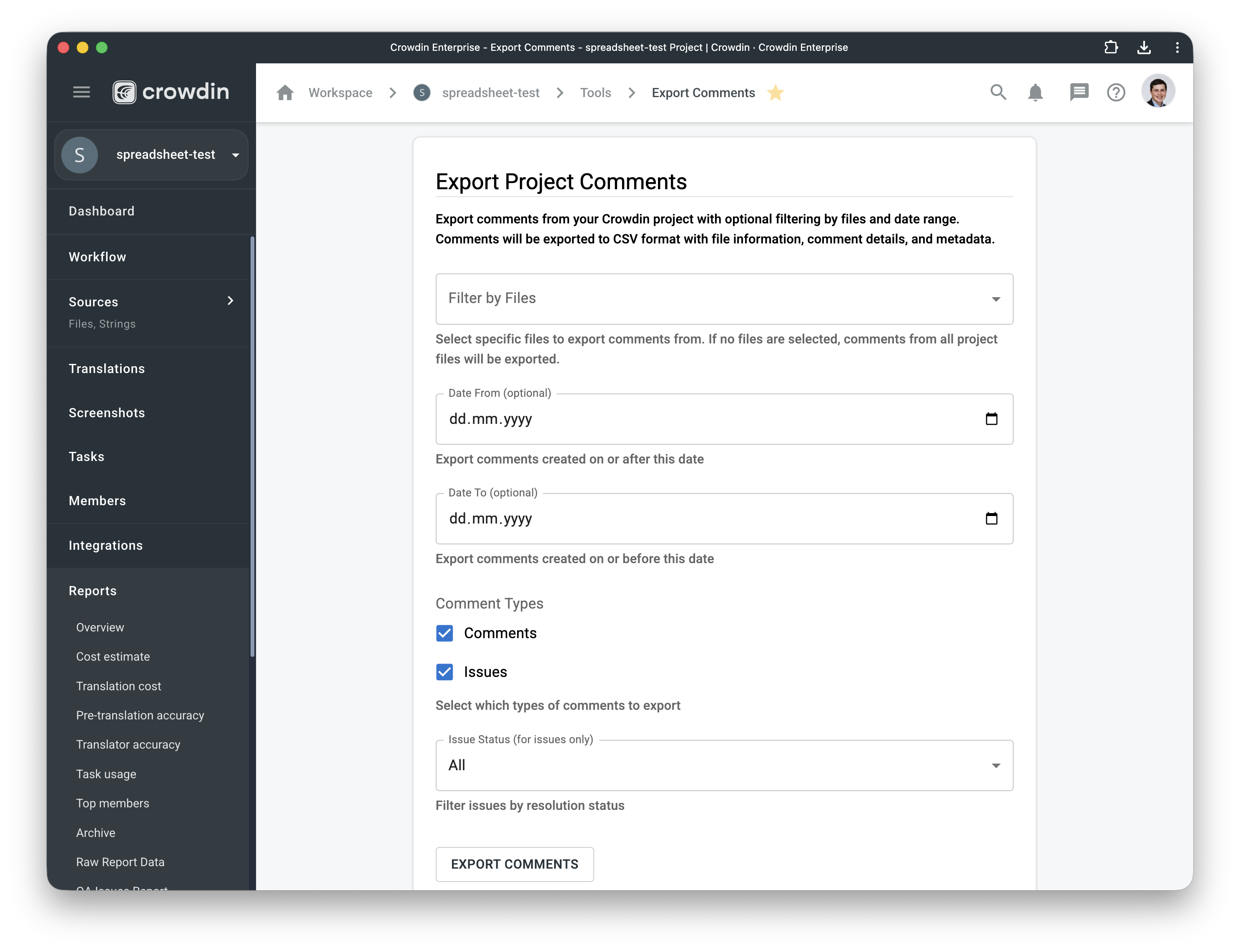
- Go to Project Tools → Export Comments
- Select files or export from all project files;
- Set date range for comment creation
- Choose comment types (comments, issues, or both)
- Filter issues by status (resolved/unresolved)
- Export as CSV with full metadata
Export Format
CSV with UTF-8 encoding including:
- File Name and Path
- String Text and Context
- Language
- Comment Type and Text
- Comment Author and Date
- Issue Type and Status
- Resolver (for resolved issues)


Crowdin is a platform that helps you manage and translate content into different languages. Integrate Crowdin with your repo, CMS, or other systems. Source content is always up to date for your translators, and translated content is returned automatically.
Learn MoreCategories
Tags
Works with
- —Crowdin Enterprise
Details
Released on Sep 22, 2025
Updated on Sep 22, 2025
Published by Awesome Crowdin
Identifier:export-project-comments