
Know what each language costs – contributors and AI included.
Requires Crowdin account
Localization Costs Report

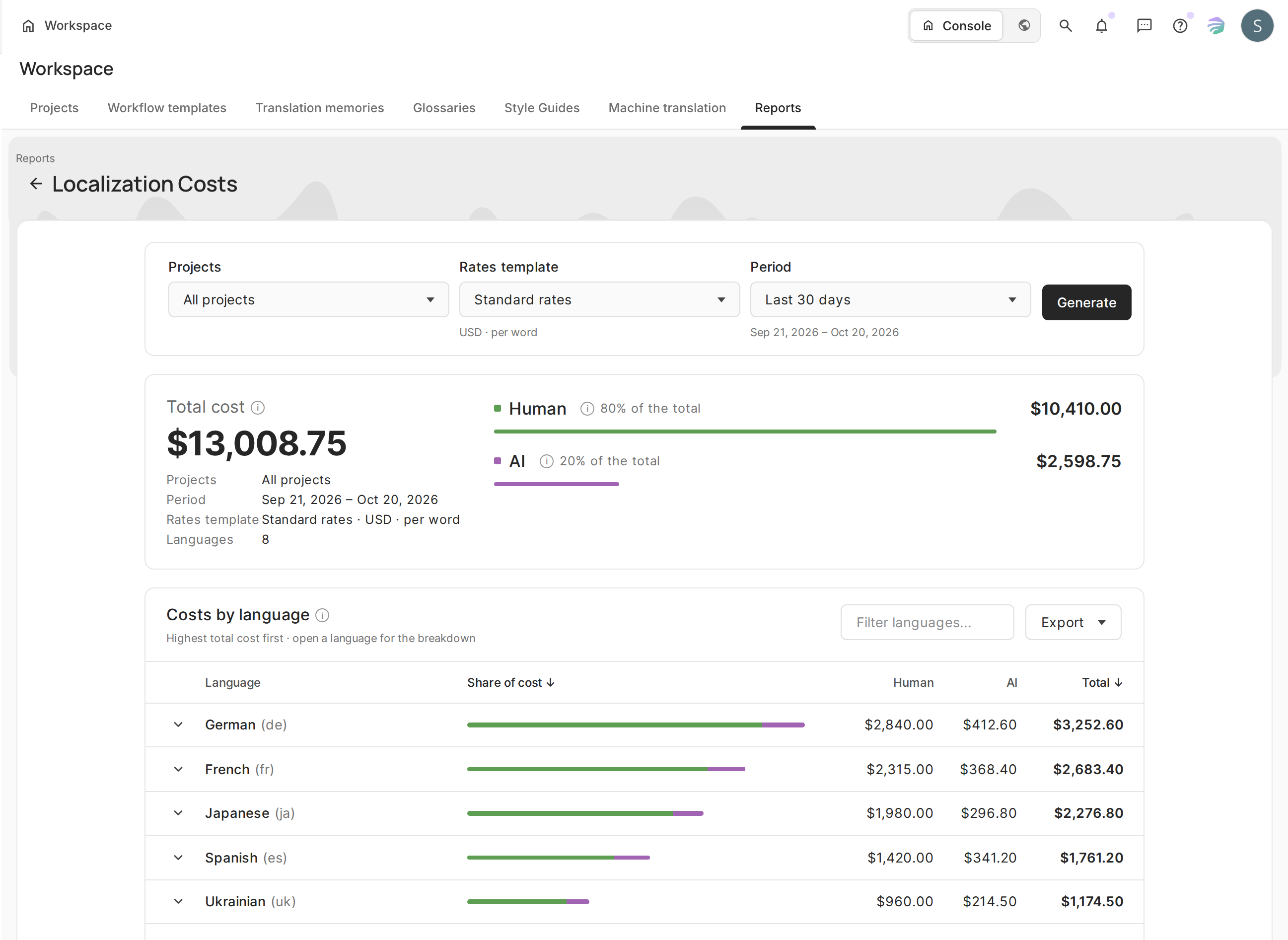
See what each target language really costs – people and AI in one report. Localization Costs Report combines contributor costs from your rates template with AI usage for the same projects and period, so you no longer have to merge the Translation Costs and AI usage reports by hand. Run it for a project or, in Crowdin Enterprise, for a group or the whole organization.
Why use it
- Plan budgets by language or market. See which languages cost the most and what drives the cost.
- Know where each language’s budget goes. See how much went to contributor work and how much to AI usage.
- See where AI spend goes. Find the AI actions, models and providers that use the most budget.
- Charge costs back. Show clients or teams the exact cost of each language.
How it works
- Choose the projects, a rates template and a period.
- Click Generate.
- Review the costs by language or export them.
The app prices contributor work with your rates template, as the Translation Costs report does, and adds the AI costs of the same projects and period.
What's in the report
- Costs by currency shows the total and what went to people and what went to AI.
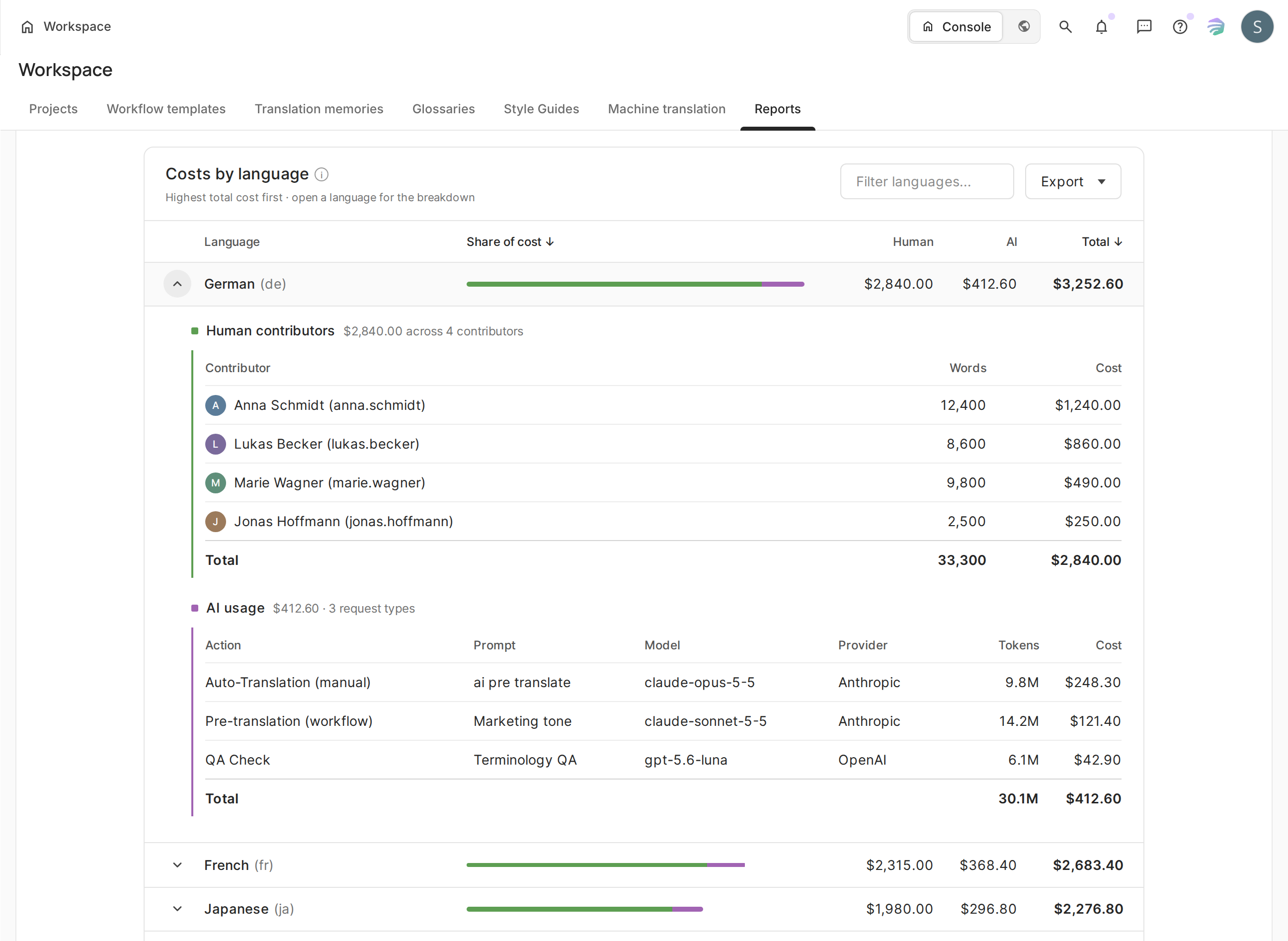
- Costs by language lists every target language, from highest to lowest cost. Open a language to see each contributor's words and cost, and the AI actions, models and providers behind it.
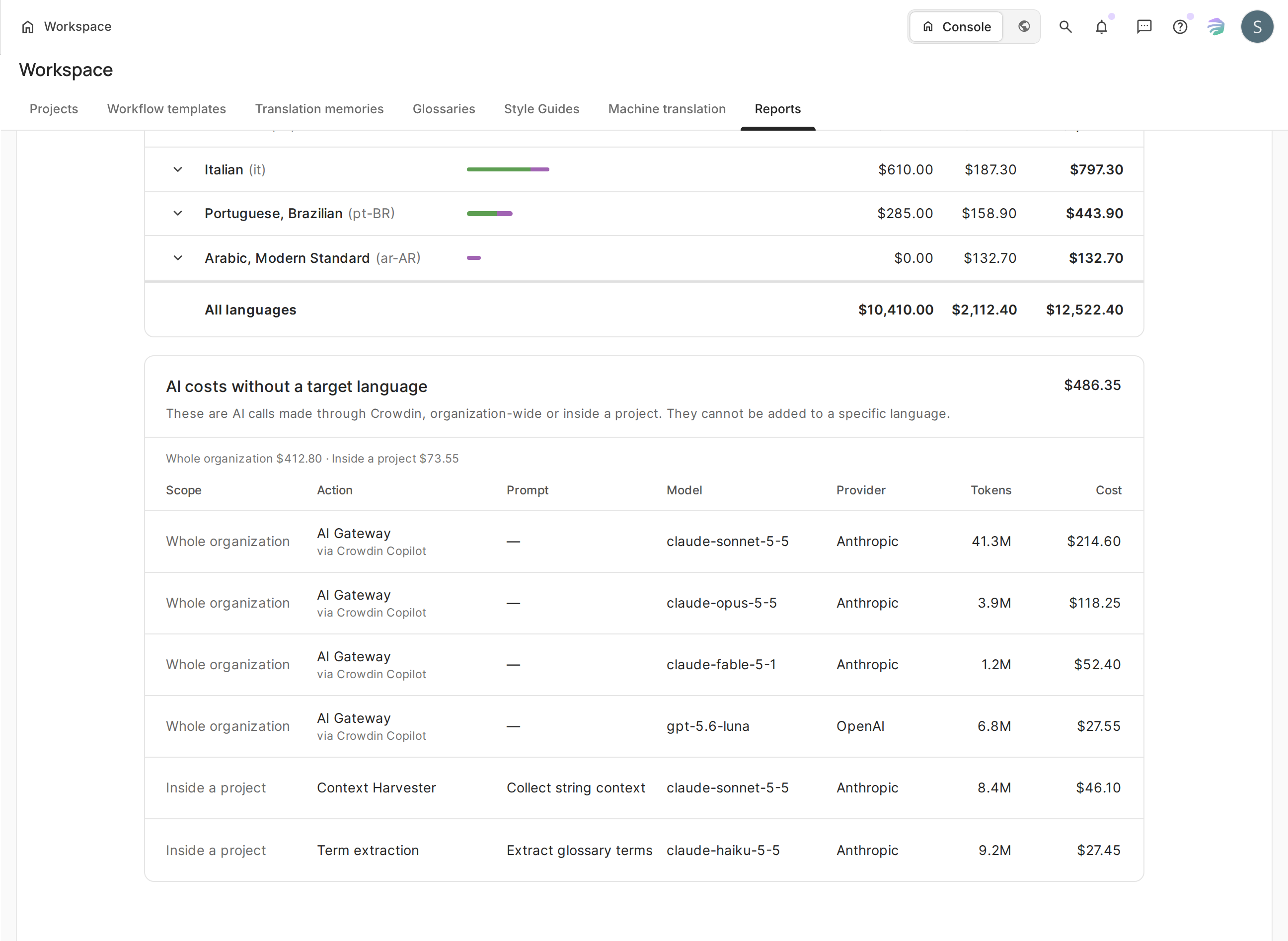
- AI costs without a target language collects AI requests tied to no language, such as AI Proxy calls or Context Advisor runs. They count toward the total but not toward any language.
Good to know
- Crowdin doesn't convert currencies: contributor costs stay in your template's currency, AI costs in USD.
- AI usage on a model with no price is counted in tokens and kept out of the totals.
- Without a rates template, the report shows contributor volumes instead of money.
- Export downloads the Translation Costs and AI usage reports as CSV files.
- The app only reads your data and never changes anything.
Where to find it
After installation, open Reports in a project. In Crowdin Enterprise, the report is also available in the organization's and each group's Reports. Project reports are open to the project owner and managers.


Crowdin is a platform that helps you manage and translate content into different languages. Integrate Crowdin with your repo, CMS, or other systems. Source content is always up to date for your translators, and translated content is returned automatically.
Learn More- —crowdin.com
- —Crowdin Enterprise
Released on Oct 20, 2026
Updated on Oct 20, 2026
Published by Crowdin
Identifier:localization-costs