
How to Localize Microsoft Store Listings with Crowdin

This guide covers localizing Microsoft Store listings for Xbox and other apps using Crowdin.
Prerequisites
- Microsoft Store listing with content to translate
- Crowdin account with a project created
Step 1: Export Store Listing from Microsoft Partner Center
- Go to your app overview page in Microsoft Partner Center
- Click Export listing in the Store listings section
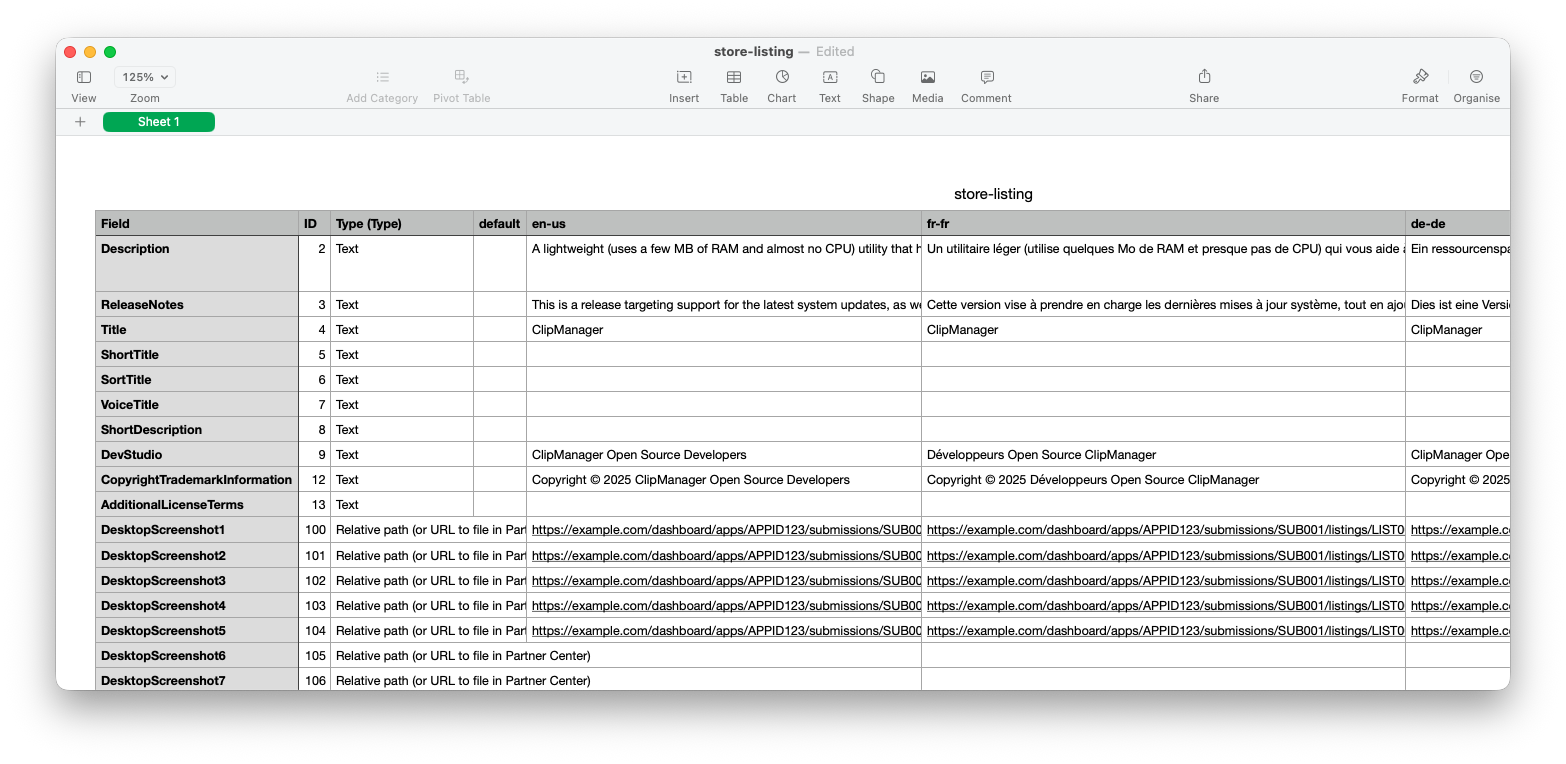
- Save the CSV file (UTF-8 encoded) to your computer
The exported CSV contains a multilingual structure with columns for each language and rows for different listing fields (description, features, screenshots, etc.).
Step 2: Create Crowdin Project
Create a new project in Crowdin and add your target languages. Make sure the source language in Crowdin matches the source language column in your Microsoft Store listing CSV.
Step 3: Enable Content Segmentation
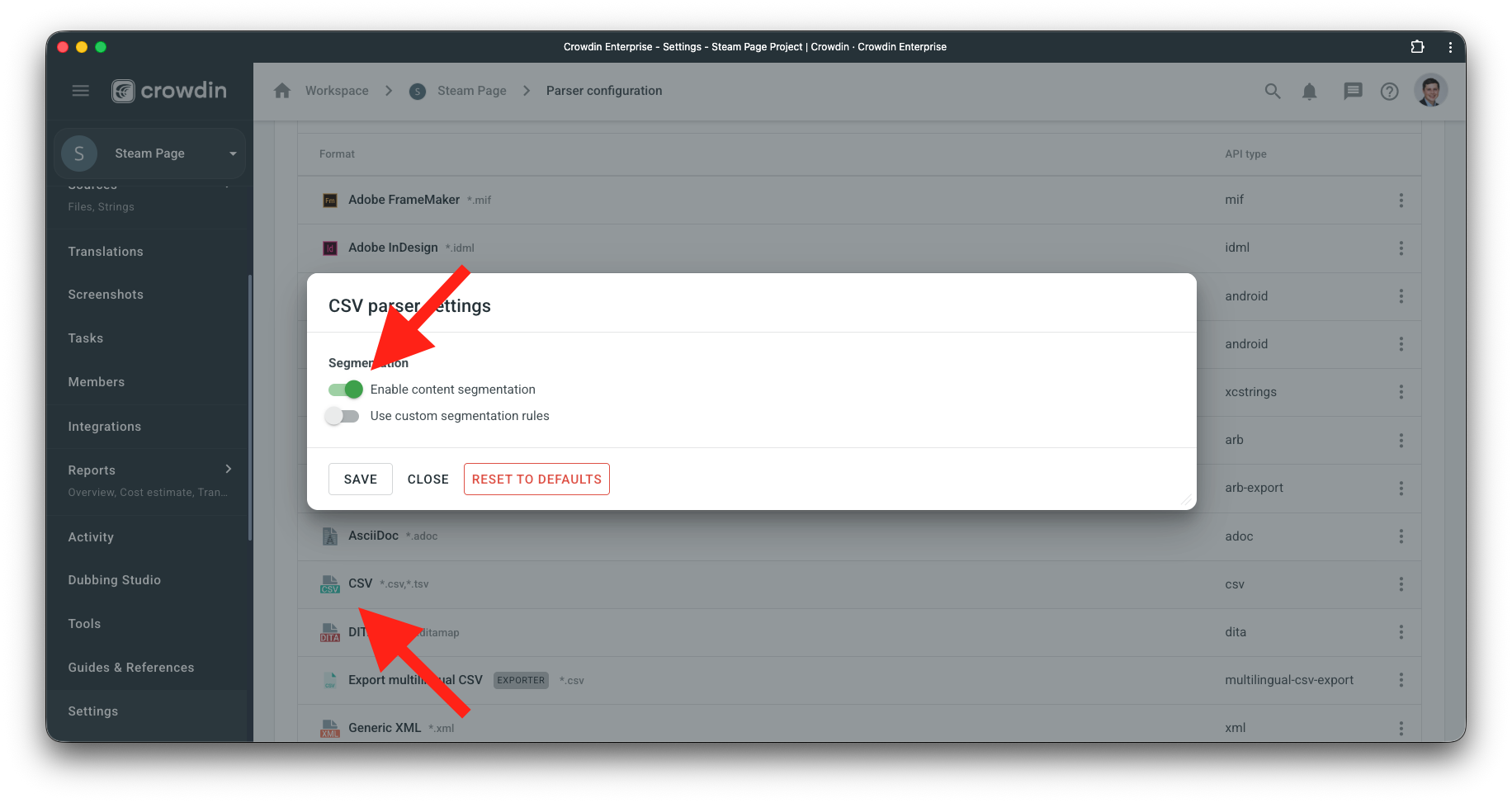
- Go to Project → Settings → Parser configuration
- Click CSV
- Enable Content segmentation
This setting splits longer cell content into shorter segments, making it easier for translators to work with individual sentences rather than large text blocks.
Step 4: Upload and Configure CSV
- Go to Project → Sources → Files
- Drag and drop your CSV file
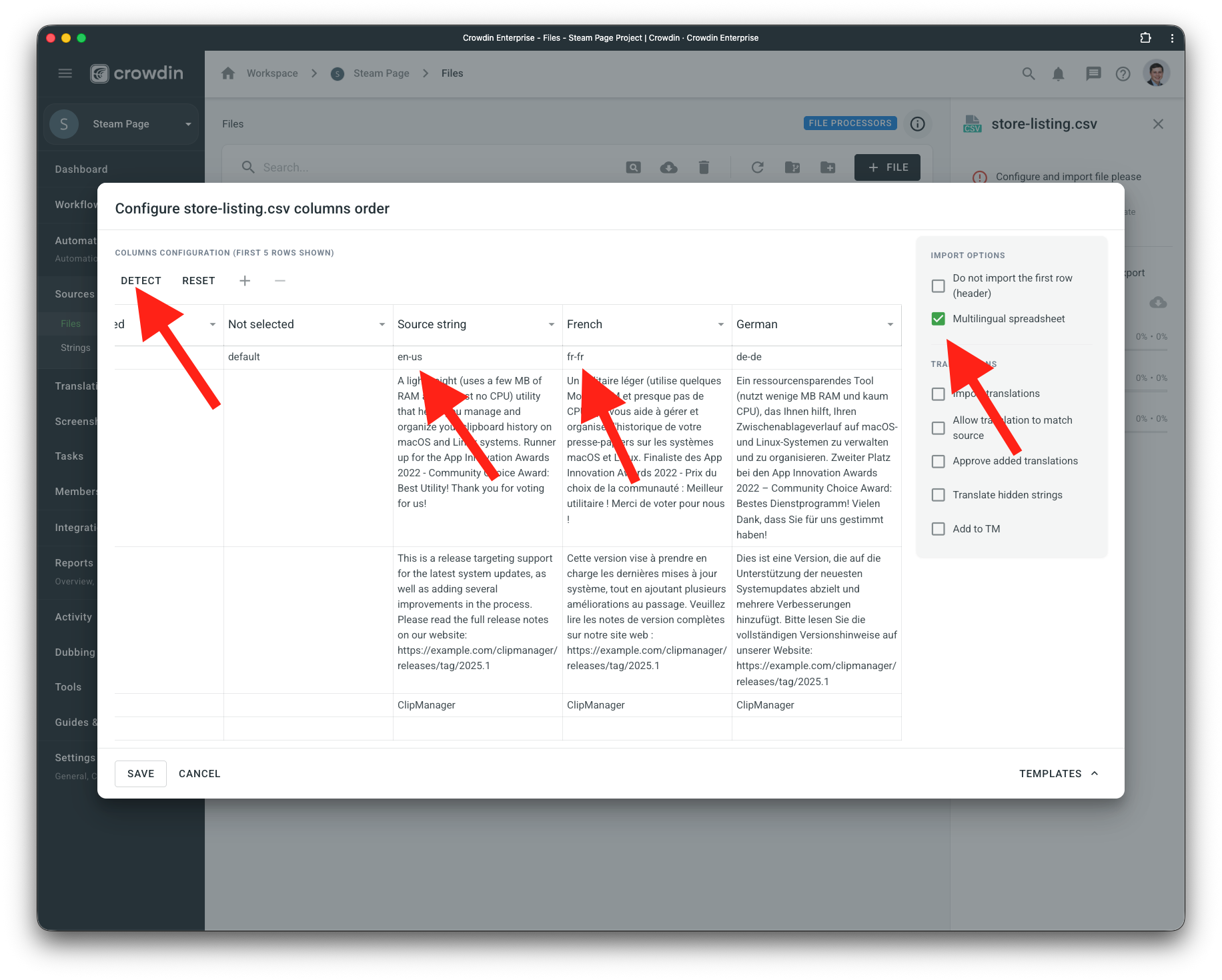
- Click Configure
- In the configuration dialog:
- Enable Multilingual spreadsheet
- Click Detect to auto-configure source and target language columns
- Verify the detected configuration matches your CSV structure
- Save the configuration
Step 5: Translate and Export
- Translators can now work on the content in Crowdin
- Once translation is complete, download the translated CSV from Crowdin
- Import the translated CSV back to Microsoft Partner Center
Important Notes
- The source language in your Crowdin project must match the source language column in your Microsoft Store listing CSV
- The Detect button automatically maps columns to languages, but verify the configuration before saving
- Keep the CSV structure intact - don't modify Field, ID, or Type columns


Crowdin is a platform that helps you manage and translate content into different languages. Integrate Crowdin with your repo, CMS, or other systems. Source content is always up to date for your translators, and translated content is returned automatically.
Learn More- —Crowdin Enterprise
- —crowdin.com
Released on Jan 12, 2026
Updated on Jan 26, 2026
Published by Crowdin
Identifier:microsoft-store-listings