
Requires Crowdin account
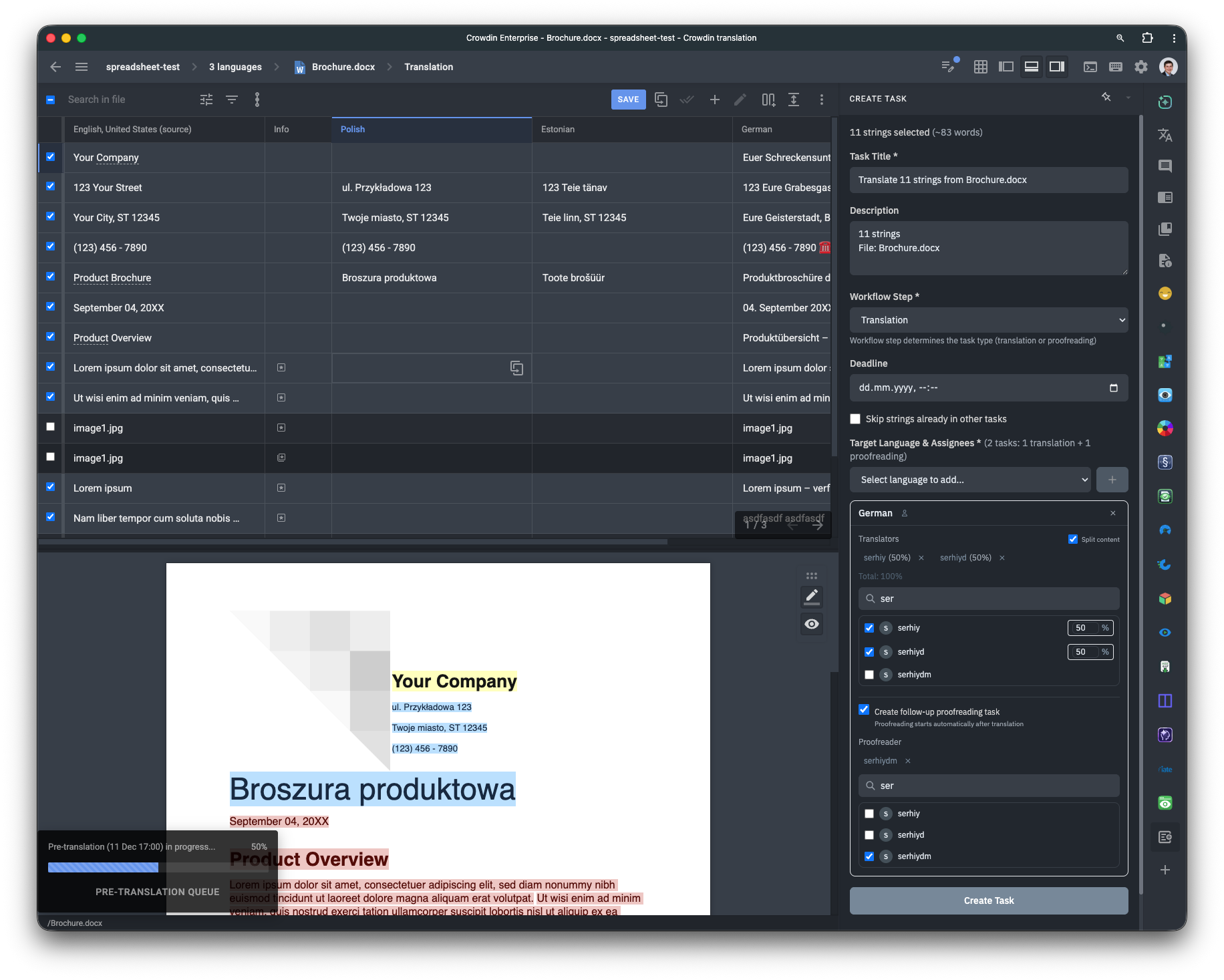
Create Tasks from Editor

Create translation and proofreading tasks directly within the Crowdin Editor.
Why this app exists
The native "Create Task" feature in Crowdin requires you to select entire files or filter content by labels. Previously, if you wanted to translate a specific subset of strings, you had to:
- Find the strings.
- Tag them with a temporary label.
- Go to the Tasks tab and filter by that label.
This app removes the need for labels. You can filter or manually select strings while working in the Editor and create a task for them immediately.
Features
- Direct Selection: Create tasks for specific strings using Editor filters or manual selection (checkboxes).
- Assignee Suggestions: Automatically suggests linguists who handled previous tasks for the selected language.
- Standard Task Options: Includes all native features: set deadlines, split work by word count etc.
- Follow-up Tasks: Configure automatic follow-up tasks (auto-proofreading task once Translation is complete).
How to use
- Install: Select All projects or manually pick specific projects during installation.
- Open Editor: Open the Editor in any selected project.
- Select Strings: Filter the view or check the boxes for the specific strings you need to assign.
- Create Task: Open the app from the right-hand sidebar and configure your task details.


Crowdin is a platform that helps you manage and translate content into different languages. Integrate Crowdin with your repo, CMS, or other systems. Source content is always up to date for your translators, and translated content is returned automatically.
Learn More- —Crowdin Enterprise
- —crowdin.com
Released on Dec 11, 2025
Updated on Dec 18, 2025
Published by Awesome Crowdin
Identifier:strings-to-task