Require users to accept your terms and conditions before they can access the organisation
Requires Crowdin account
Terms Compliance

This app enables Crowdin Enterprise administrators to require users to accept additional terms or agreements before accessing the organization. When enabled, all users (except admins) must review and accept the agreement during login. Those who decline cannot proceed.
Useful for:
- Crowdsourcing projects where volunteers contribute translations and need to agree to contribution terms
- Commercial projects requiring legal agreements with linguists (consult your legal team before implementation)
How It Works
1. Installation
Install the app and ensure it's available to admins only (not all organization members).
2. Configuration
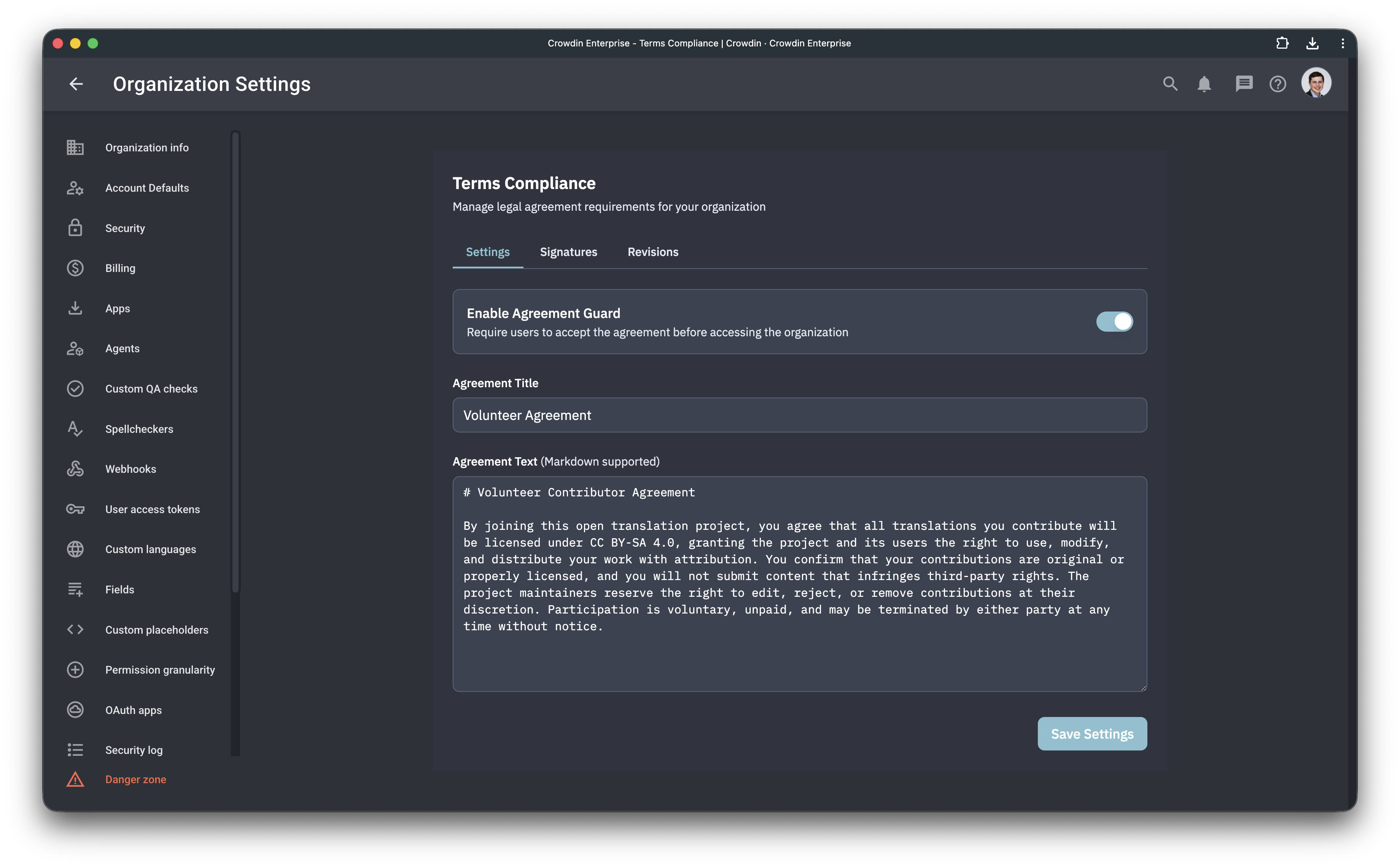
Open Organization Settings → find the app in the left menu under Terms Compliance.
- Enable the app
- Provide your agreement text or terms
Once enabled, all existing and new users (except admins) will be prompted to review and accept the agreement on their next login.
3. User Experience
When users log in, they see the agreement screen before accessing Crowdin. They must accept to continue. Users who reject cannot proceed.
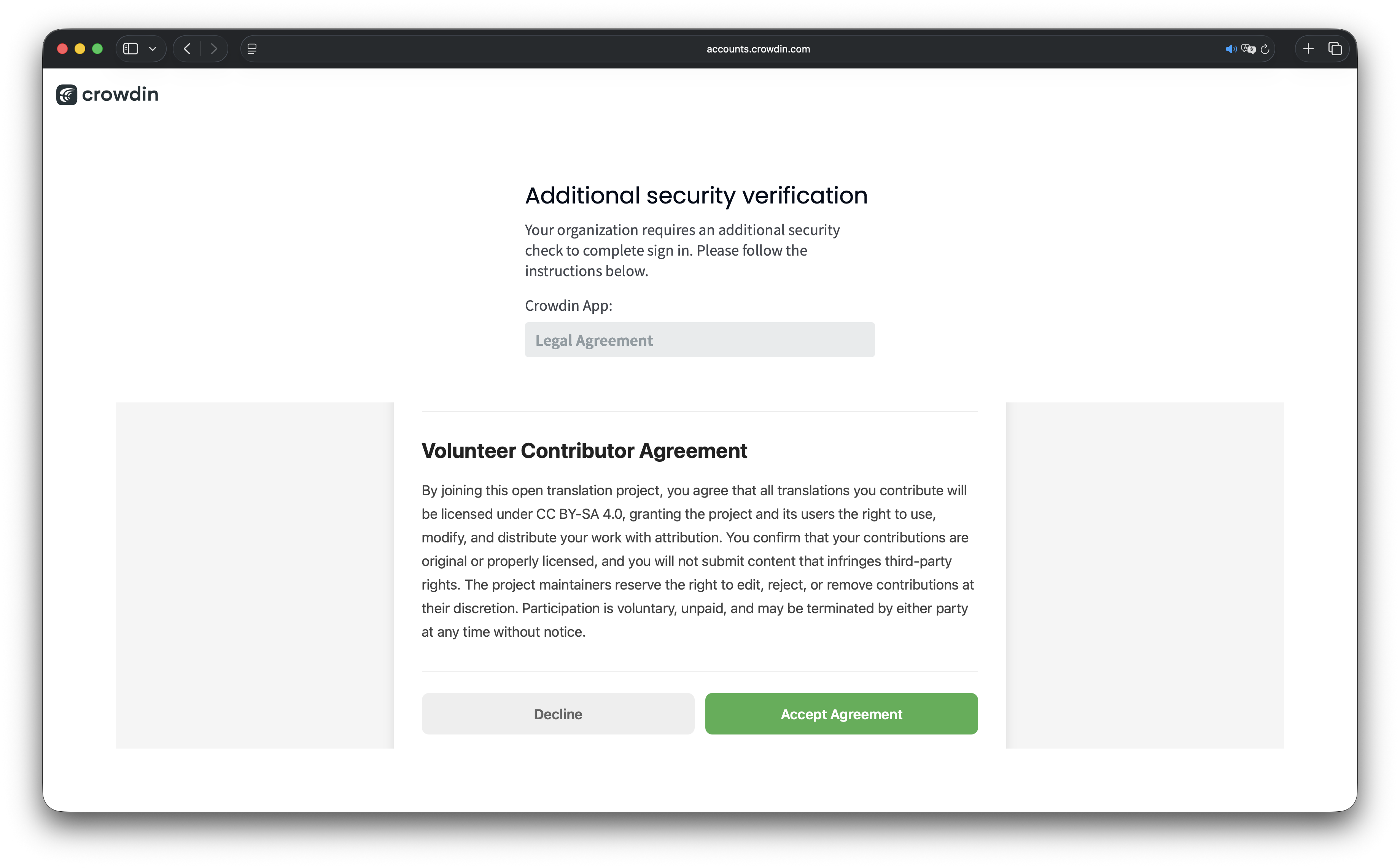
Important: Linguists do not receive their own copy of the signed agreement.
4. Tracking & Export
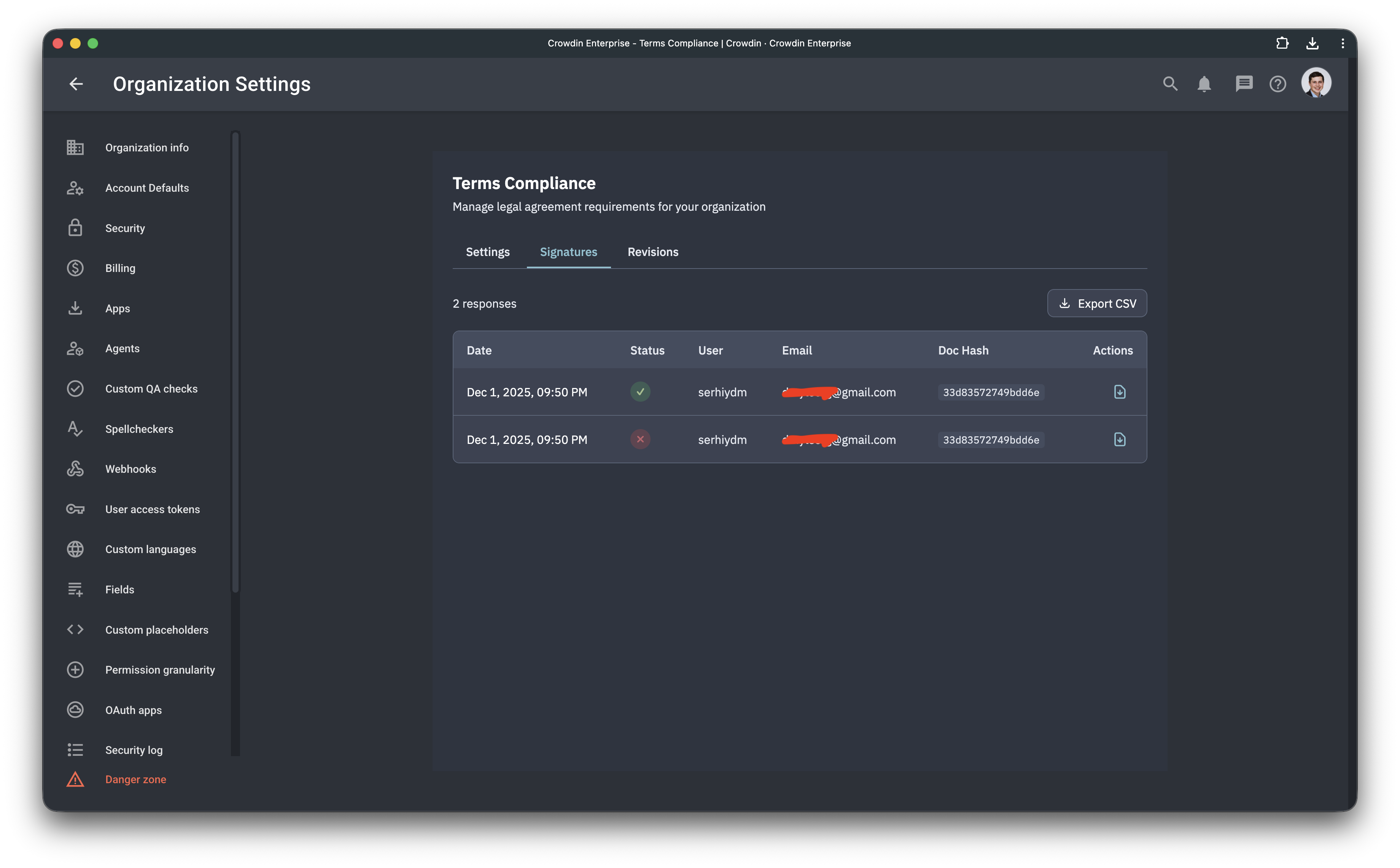
Admins can view:
- Who accepted or rejected the agreement
- Timestamp of each action
- Generate PDF documents for acceptance/rejection events
- Export data as CSV
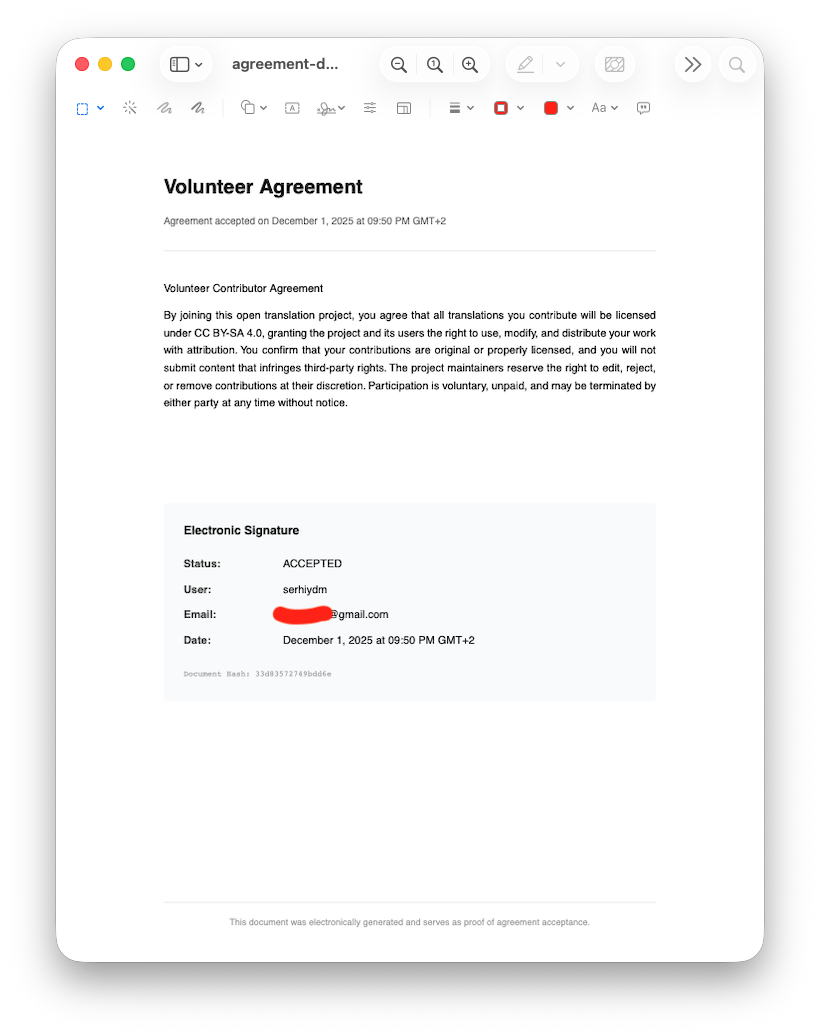
Agreement Versioning
Every signature or rejection includes a document hash to ensure integrity. The app tracks all agreement changes and maintains a history section where previous versions can be reviewed. This allows you to verify which exact version of the agreement each user accepted.
Important Disclaimer
This app may be involved in legal processes. You are solely responsible for:
- The content of your agreements
- Ensuring compliance with applicable laws and regulations
- Reviewing this workflow with your legal team before use
- All consequences of using this app
We do not provide any legal advice and accept no responsibility or liability whatsoever for the use of this app or its outcomes.


Crowdin is a platform that helps you manage and translate content into different languages. Integrate Crowdin with your repo, CMS, or other systems. Source content is always up to date for your translators, and translated content is returned automatically.
Learn More