
Requires Crowdin account
Translation Portal: Secure AI Translation for Your Organization

Provide your entire organization with a secure, brand-aware alternative to public translation tools. Translate text and files while maintaining full control over quality and data privacy.
Translation Portal is designed for on-brand corporate translations. Unlike generic tools, it leverages your company’s specific AI profiles and linguistic resources to ensure every result aligns with your corporate identity.
Key Features
- File & Text Translation: Users can translate text snippets or upload entire documents (e.g., PDFs) for immediate results.
- Built-in Back-translation: Verify the meaning by seeing a literal translation back into your native language alongside the target text.
- Contextual Intelligence: Users can add text descriptions or upload screenshots as context to help the AI - produce more accurate, situational translations.
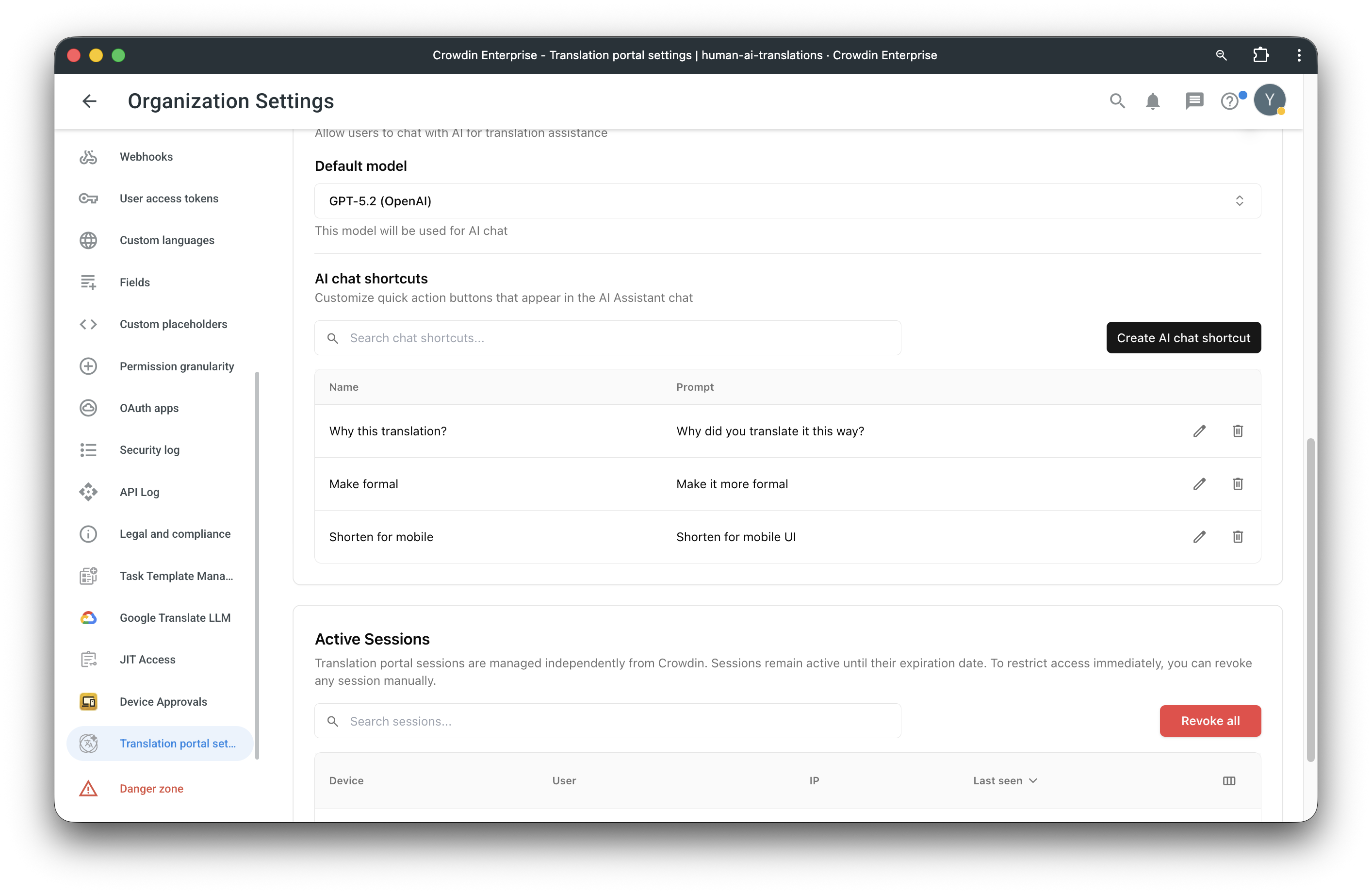
- Interactive AI Assistant: A sidebar assistant allows users to ask follow-up questions like "Why this translation?", request a more formal tone, or shorten text for mobile UIs.
- No License Required: Grant portal access to any employee with a Crowdin Enterprise account without consuming a standard seat license.
Screenshots
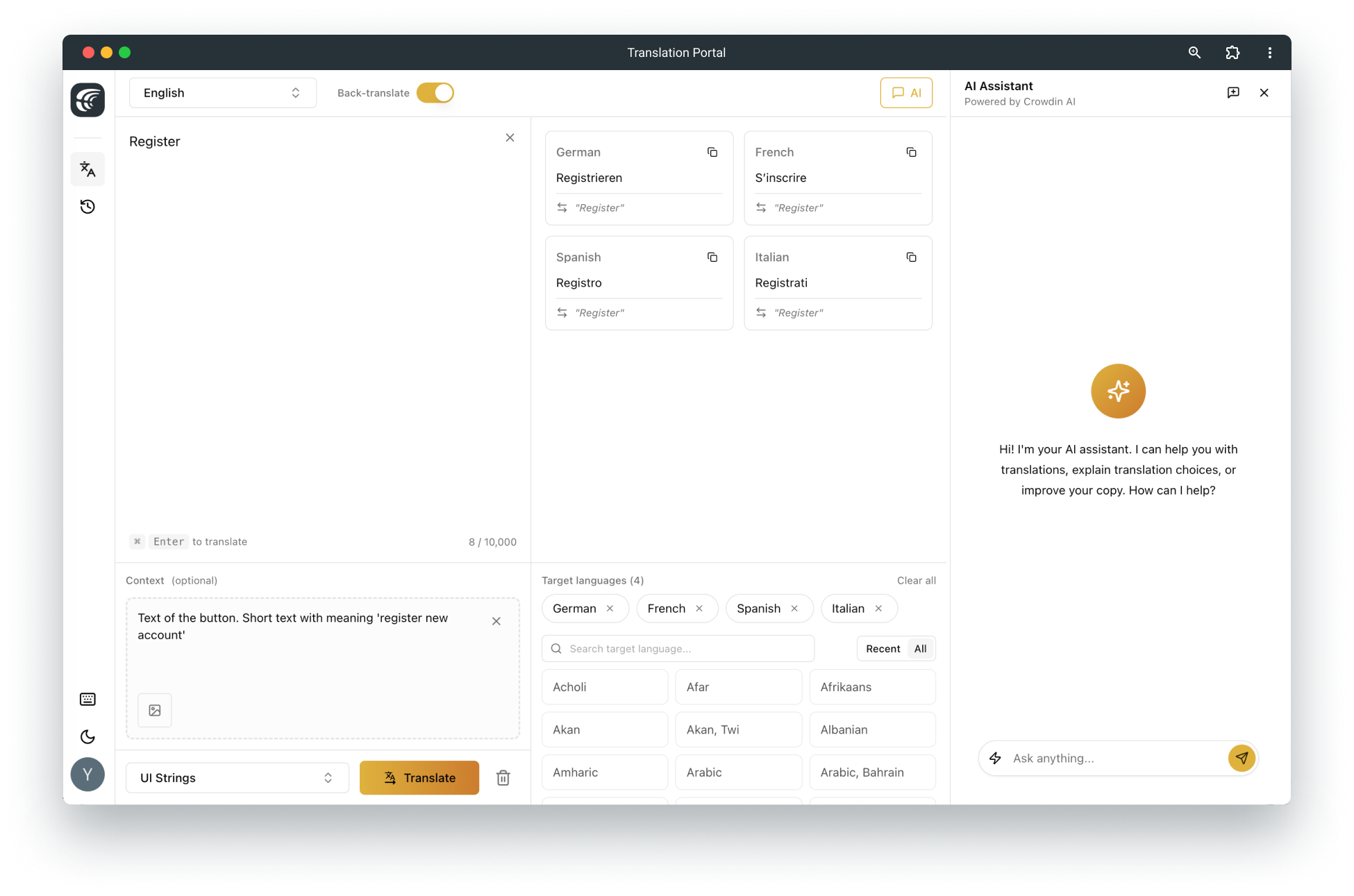 Text translation
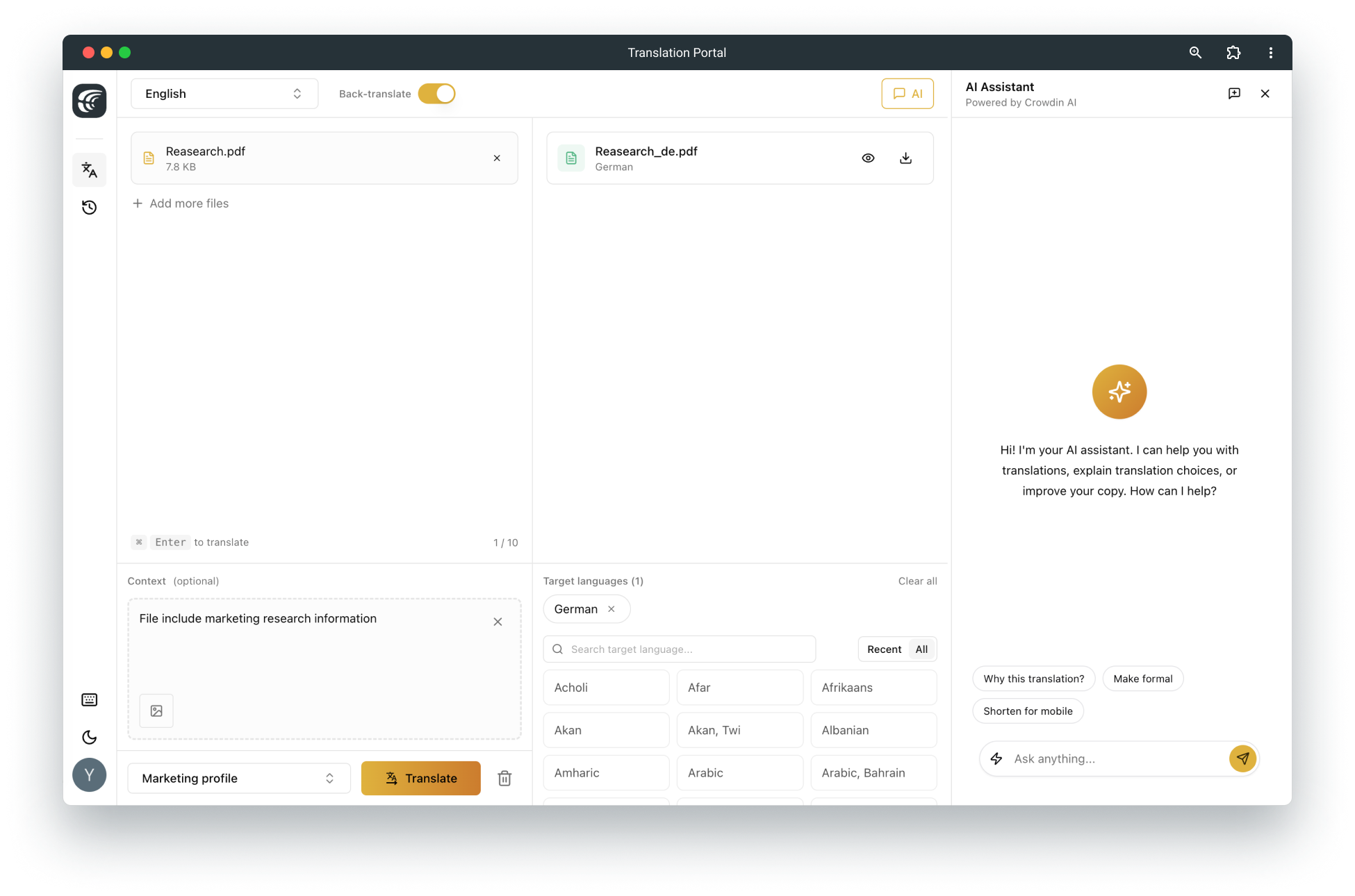 File translation
Admin and Quality Control
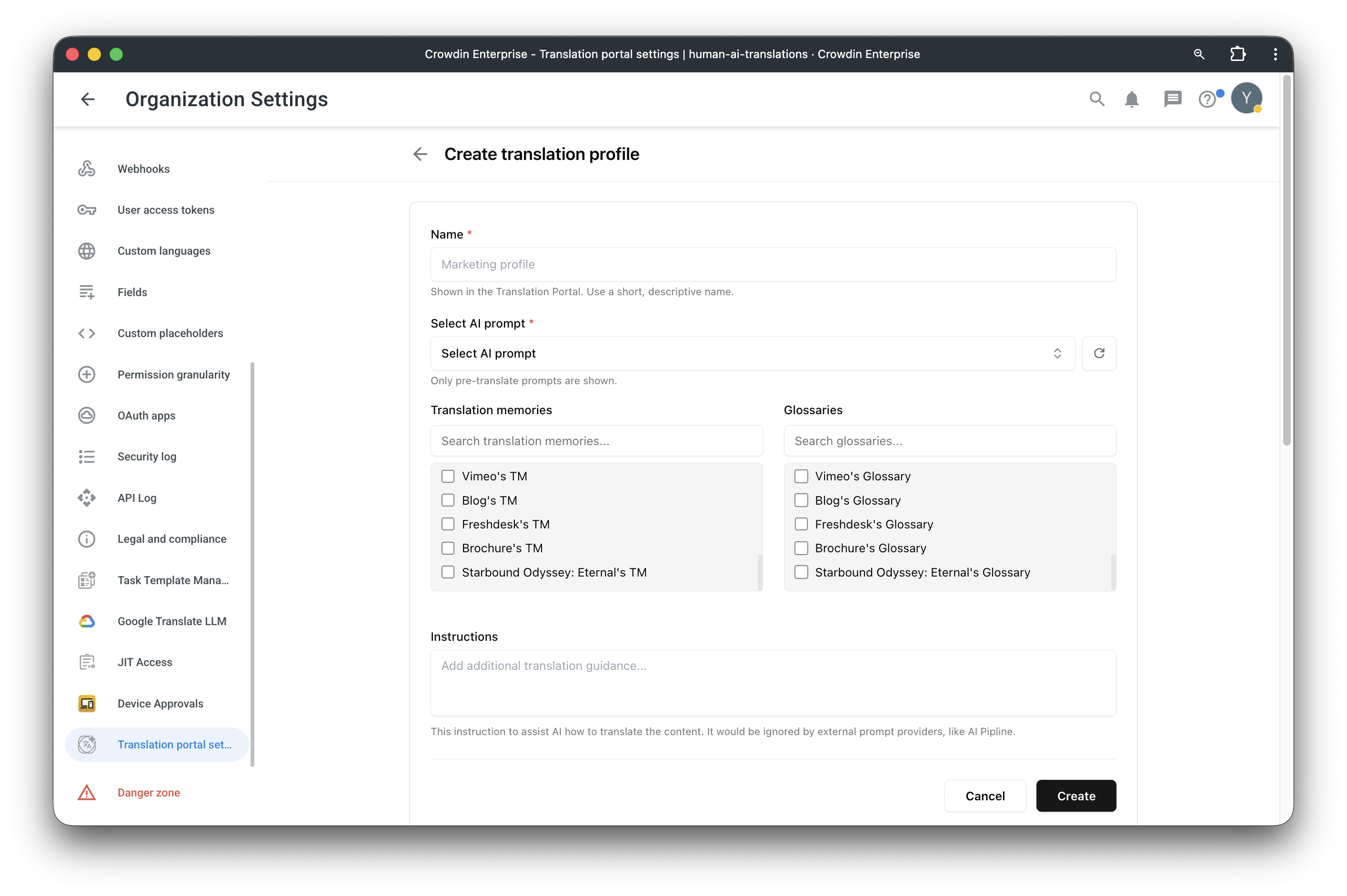
- Create custom profiles (e.g., Marketing or Legal) that automatically apply specific AI prompts, Glossaries, and Translation Memories to every request.
- Define the exact steps AI should take, such as following style guides or performing multi-step hallucination checks.
- Choose from top AI providers like OpenAI, Google Gemini and Anthropic.
- Each user can access their own history of the last 100 translation requests. Instantly revisit and copy previously translated text snippets at any time.
How to Set Up
When installing the app, you must define which users can see and use the portal.
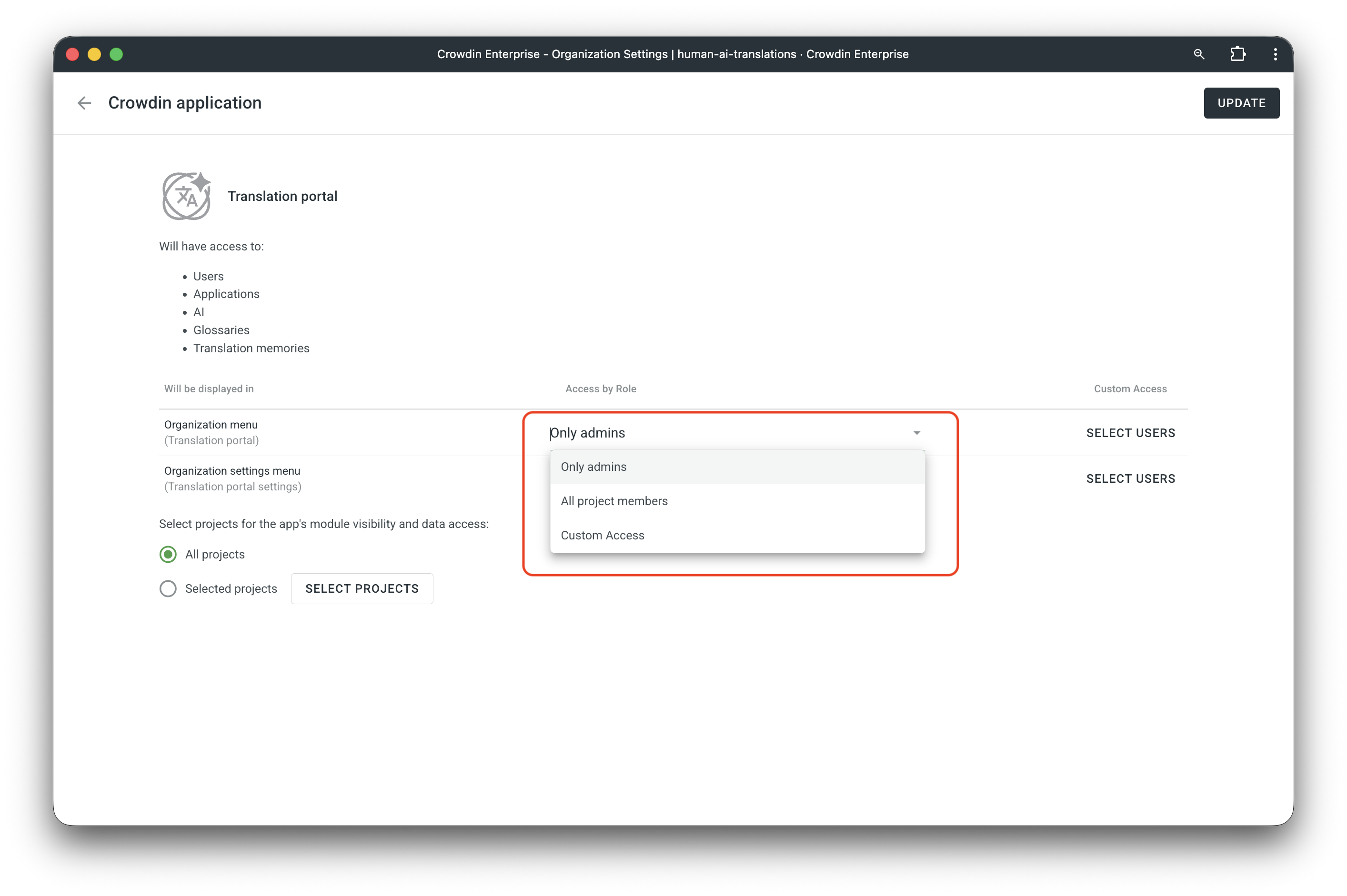
Grant Access: In the installation dialog, choose which roles can access the Organization menu (Translation portal) and Organization settings menu (Translation portal settings).
Access Levels: You can select Only admins, All project members, or Custom Access for specific users.
If you need to modify these permissions later, navigate to Organization Settings > Apps > Translation portal.
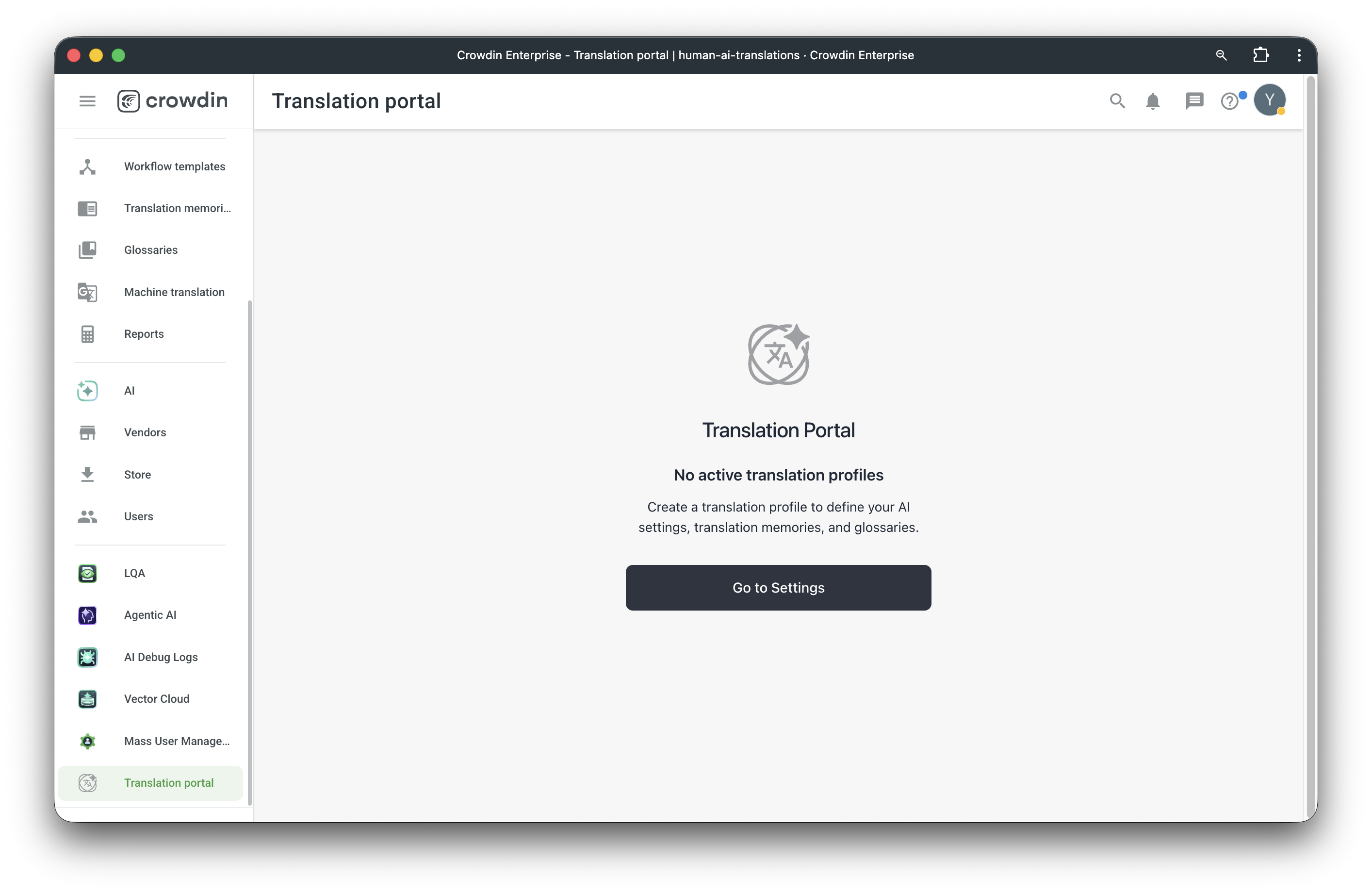
1. After installing the application, access the Translation Portal from your side menu. If no profiles exist, you will be prompted to go to settings.
2. In Organization Settings, navigate to Translation portal settings to find the Public portal URL.
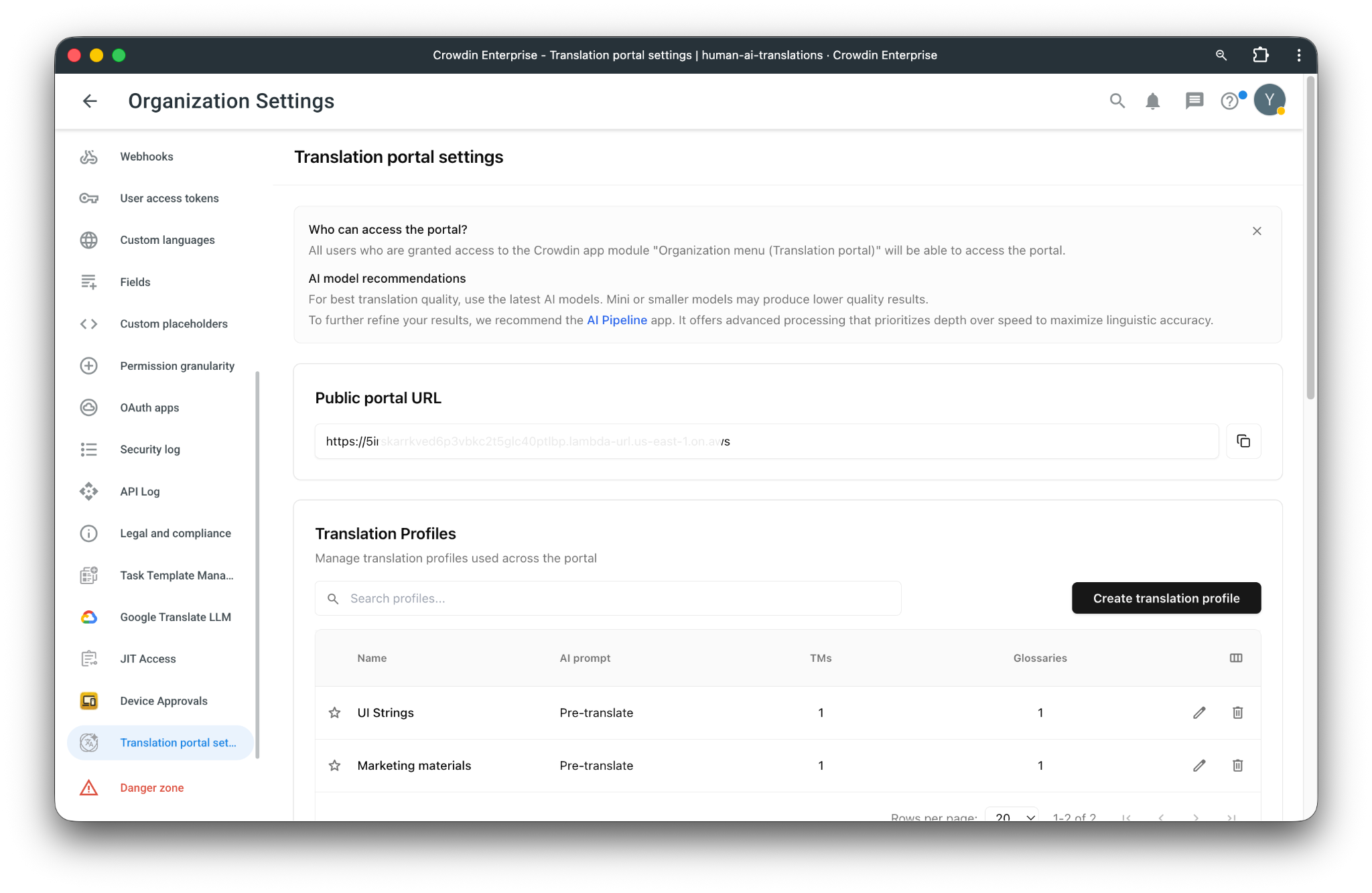
3. Select your default AI model and enable the AI Assistant to provide users with real-time support and chat shortcuts.
4. Go to Create translation profile to link your corporate Glossaries and TMs, ensuring the AI uses your specific terminology.
5. Share the portal URL with your team. They can log in with their existing credentials and start translating immediately.


Crowdin is a platform that helps you manage and translate content into different languages. Integrate Crowdin with your repo, CMS, or other systems. Source content is always up to date for your translators, and translated content is returned automatically.
Learn More- —Crowdin Enterprise
Released on Feb 2, 2026
Updated on Apr 30, 2026
Published by Crowdin
Identifier:translation-portal