
Routes strings to different branches based on string attributes
Requires Crowdin account
String Router

Route translation strings to different workflow steps based on text length, content, or context.
Why this app exists
Standard Crowdin workflows apply the same steps to all content. However, different types of strings often require different treatment.
For example, Machine Translation often struggles with very short strings (buttons, UI labels) due to lack of context. This app allows you to automatically route short strings to human translation, while sending longer content to MT, or route specific terms to a dedicated review step.
Features
- Conditional Routing: Splits workflow traffic into "True" and "False" paths based on your criteria.
- Text & Context Filters: Filter strings that contain, start with, or end with specific text.
- Numeric Logic: Route based on string length (e.g.,
length > 10) or specific values. - Compound Rules: Combine multiple conditions using AND/OR logic.
How to use
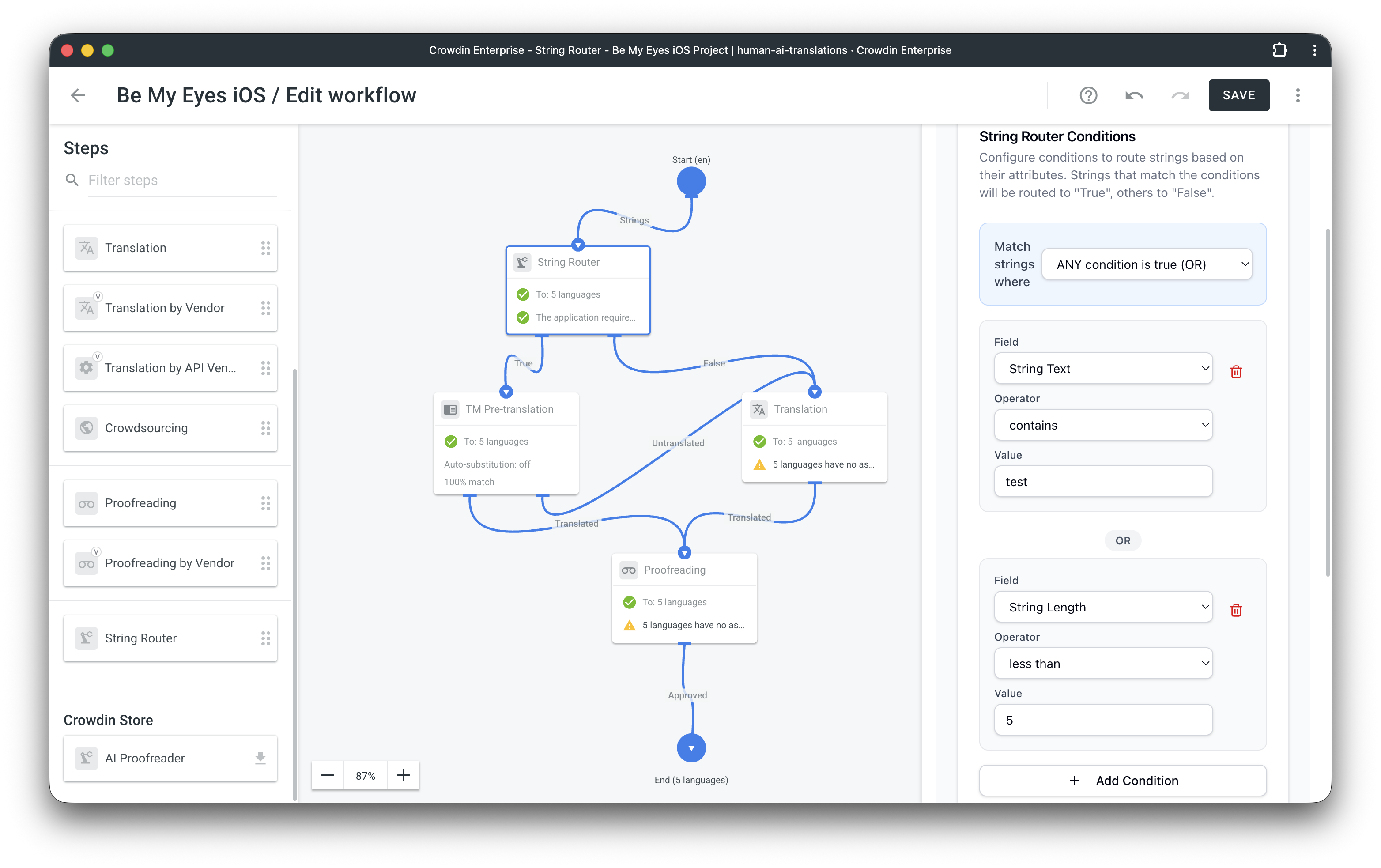
- Add Step: Open your project workflow and drag the String Router step into the diagram.
- Configure: Click the step to define your conditions (e.g., String text length is less than 5).
- Route: Connect the True output to one step (e.g., Human Translation) and the False output to another (e.g., Machine Translation).
Screenshot


Crowdin is a platform that helps you manage and translate content into different languages. Integrate Crowdin with your repo, CMS, or other systems. Source content is always up to date for your translators, and translated content is returned automatically.
Learn More- —Crowdin Enterprise
Released on Dec 18, 2025
Updated on Dec 23, 2025
Published by Crowdin
Identifier:workflow-router-step