Requires Crowdin account
See what every file update will cost to translate

Every time a source file is uploaded or updated, someone has to work out what translating it will cost. In Crowdin, that means opening Cost Estimate report, picking the file and a rates template, and generating the report by hand – for every file, after every upload.
Automatic Cost Estimates does it the moment a file changes. You get a translation cost estimate in every target language of the project, based on your rates template and TM matches, and see how much the latest update added to the cost. It's built for localization managers who track their localization budget release by release and for agencies that quote every update to their clients.
Why use it
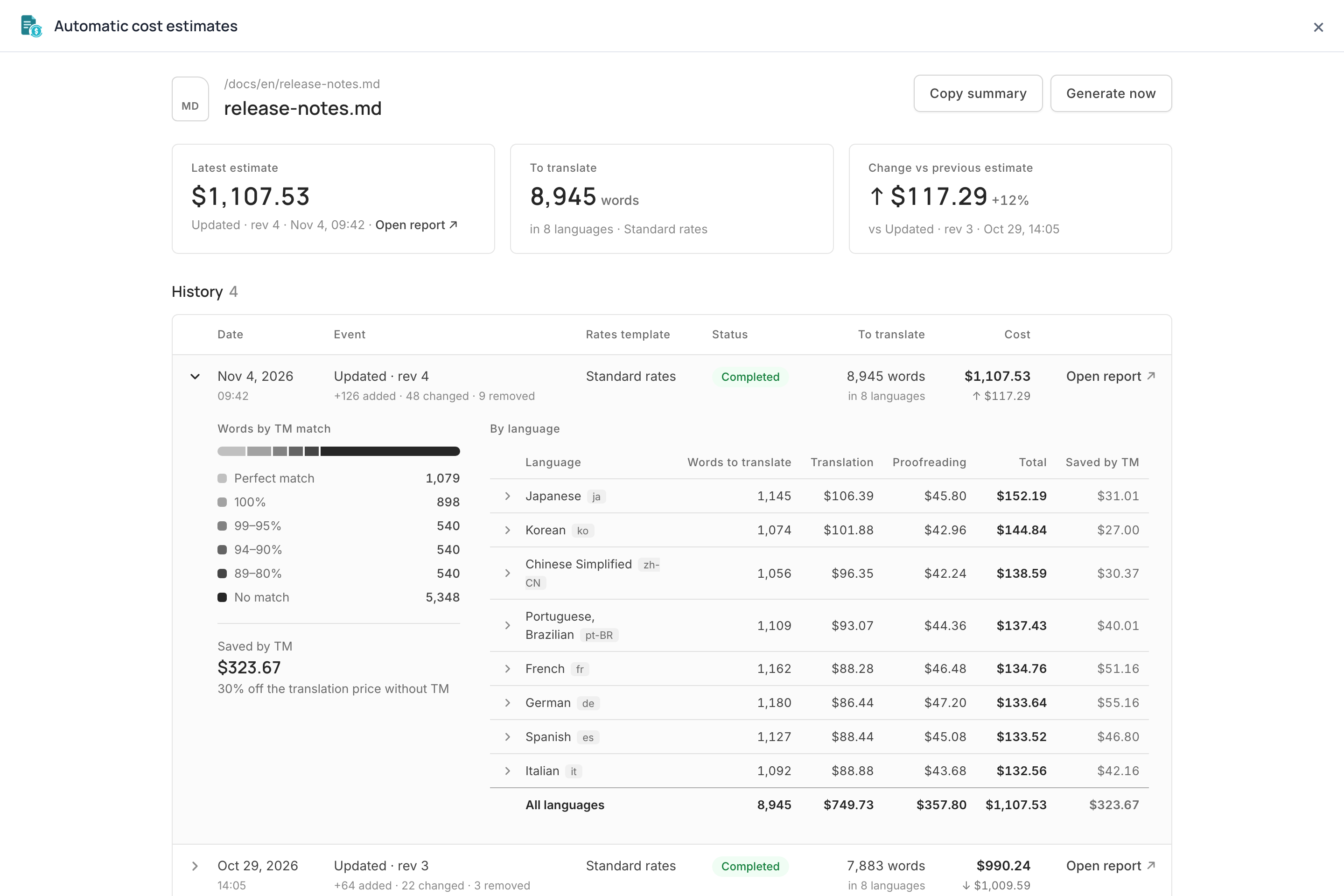
- See what each update costs. Every estimate shows how many strings the new revision added, changed and removed, and how the translation cost moved since the previous estimate.
- Quote updates right away. An estimate is made as soon as the file changes, whether the update came from the UI, the API, the CLI or an integration.
- Know what your TM saves. Words are split by TM match level, with the amount the matches take off the full rate.
- Share costs with finance or clients. Every estimate is a regular Crowdin report in Reports → Archive, ready to open, export or share.
How it works
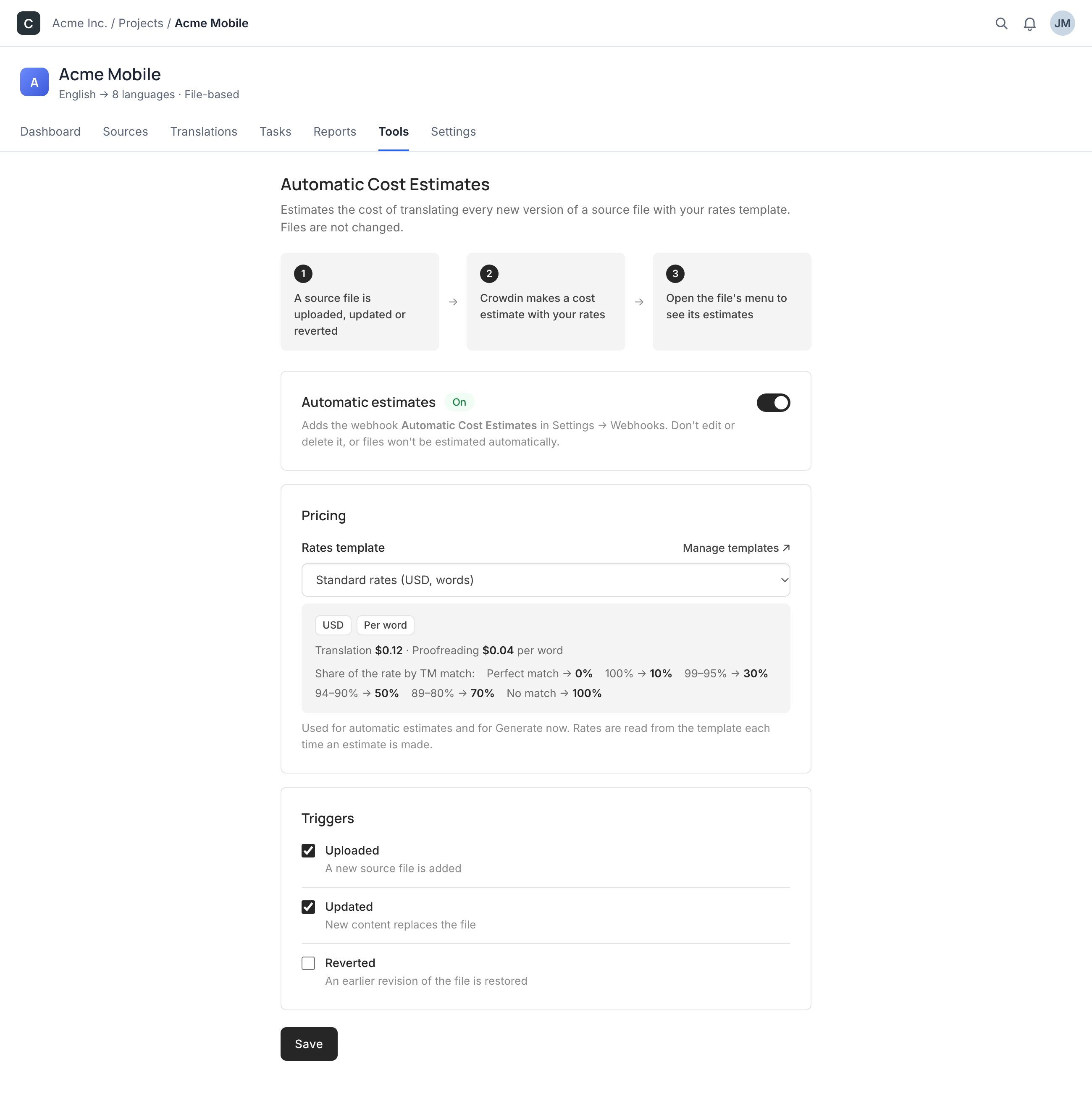
- Open the app in a project's Tools and pick a rates template.
- Choose the triggers: file upload, update or revert to an earlier revision. Turn on Automatic estimates and save.
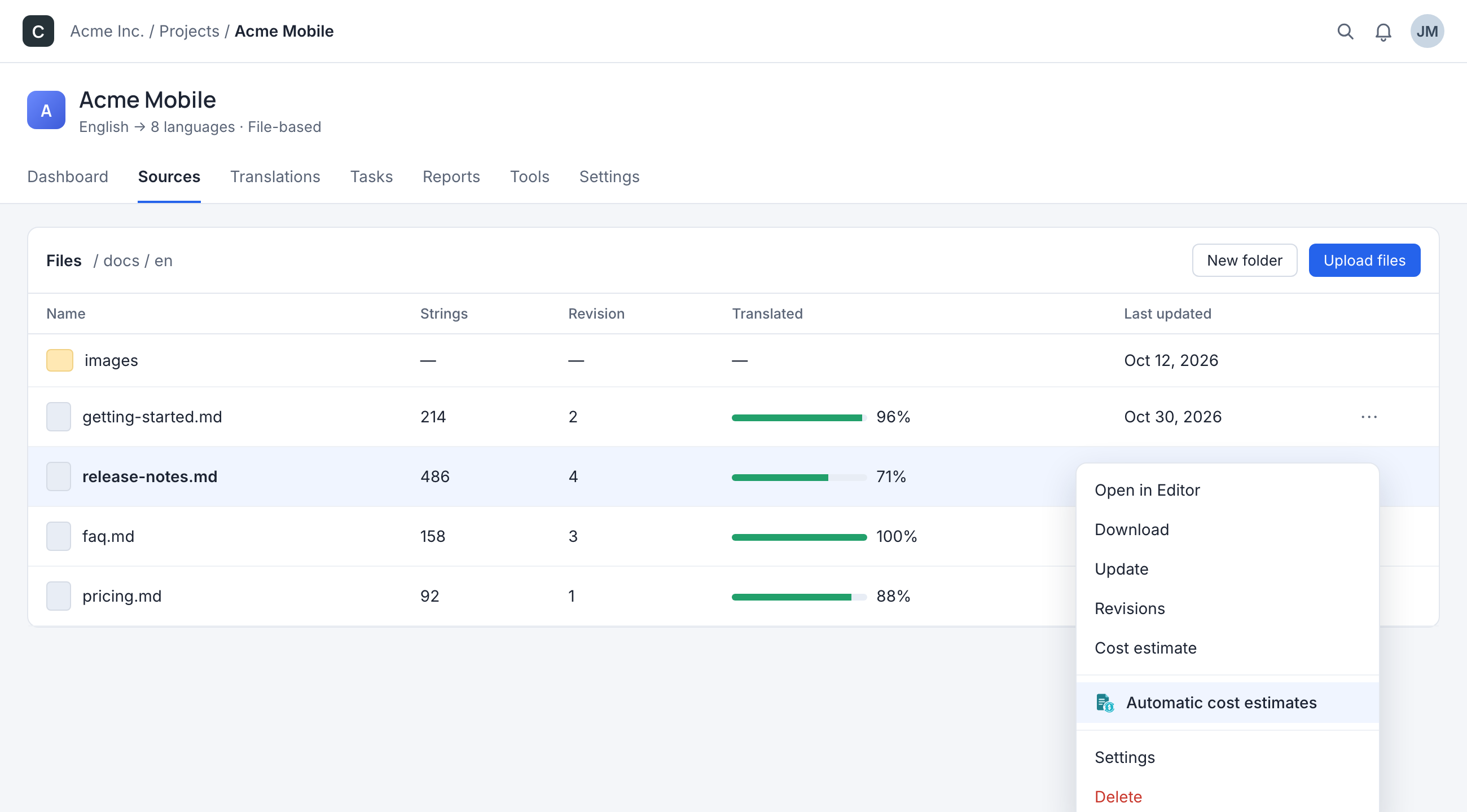
- Open the menu of a source file and choose Automatic cost estimates to see its estimates.
Need an estimate of a file as it is now? Generate now makes one right away.
What you see for a file
- The latest estimate with the words to translate across all languages.
- History of the file's estimates with the event, revision, rates template, status and cost. Copy summary copies the latest one as text for a quote or a message.
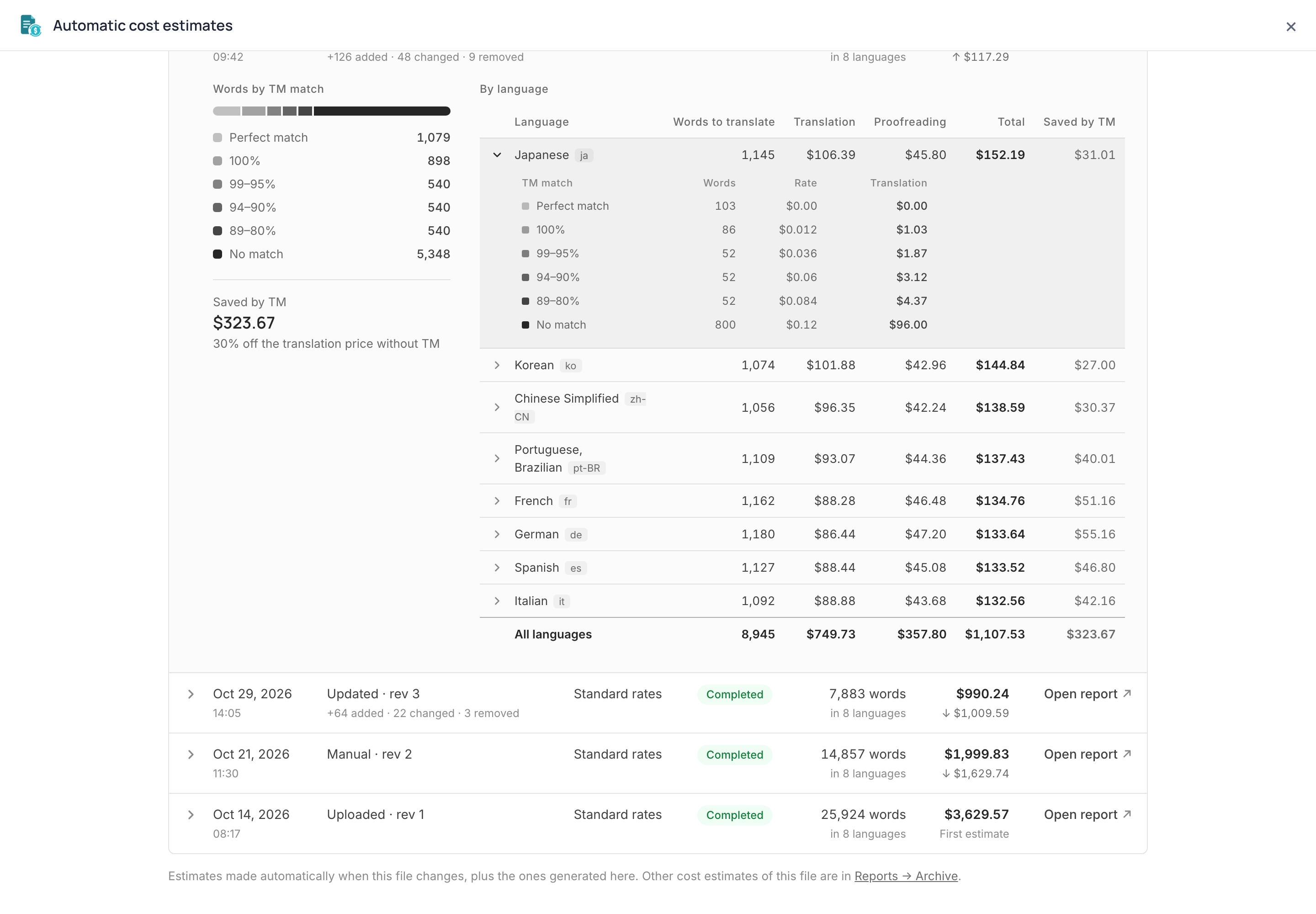
- A breakdown of each estimate: words by TM match level and the cost of every language, split into translation, proofreading and TM savings. Open a language to see its words, rate and cost at each match level.
Notes and limitations
- Estimates, not invoices. An estimate prices the strings that still need translation when it is made, at the rates the template has at that moment.
- Works in file-based projects.
- Estimates cover all target languages of the project.
- Estimates are made right after the upload, before pre-translation runs, so pre-translated strings are still counted and the final cost may be lower.
- Rates templates with hourly rates can't be used.
- The app adds the webhook Automatic Cost Estimates to the project to learn about file changes. Don't edit or delete it, or files won't be estimated automatically.
- A file's menu lists the estimates the app made. Other cost estimates of the file are in Reports → Archive.
- The app never modifies your files or translations.
Where to find it
After installation, open Tools in a project and choose Automatic Cost Estimates to set it up. A file's estimates are in its menu under Automatic cost estimates. Both are open to the project owner and managers.


Crowdin is a platform that helps you manage and translate content into different languages. Integrate Crowdin with your repo, CMS, or other systems. Source content is always up to date for your translators, and translated content is returned automatically.
Learn More- —crowdin.com
- —Crowdin Enterprise
Released on Nov 4, 2026
Updated on Nov 4, 2026
Published by Crowdin
Identifier:automatic-cost-estimates
