Improve your website translations with feedback from users around the world
Requires Crowdin account
Let your visitors improve your website localization

Even the best AI or human translations can sometimes miss the nuance of your live UI. Website Proofreader turns your global users into a distributed localization team, delivering authentic, native-level quality directly from your live UI. Scale your localization with community-led proofreading.
Key features:
- Crowdsourced accuracy: Fix awkward or robotic phrasing by listening to native speakers using your site.
- Easy language mapping: Built-in support for language mapping to ensure the widget correctly identifies the visitor's locale.
- Safe and secure: Use the Public Access Warning settings to protect against vandalism by enabling AI QA checks before suggestions go live.
- No coding required for managers: Once the initial snippet is installed, the translation workflow happens entirely within the familiar Crowdin interface.
Screenshot
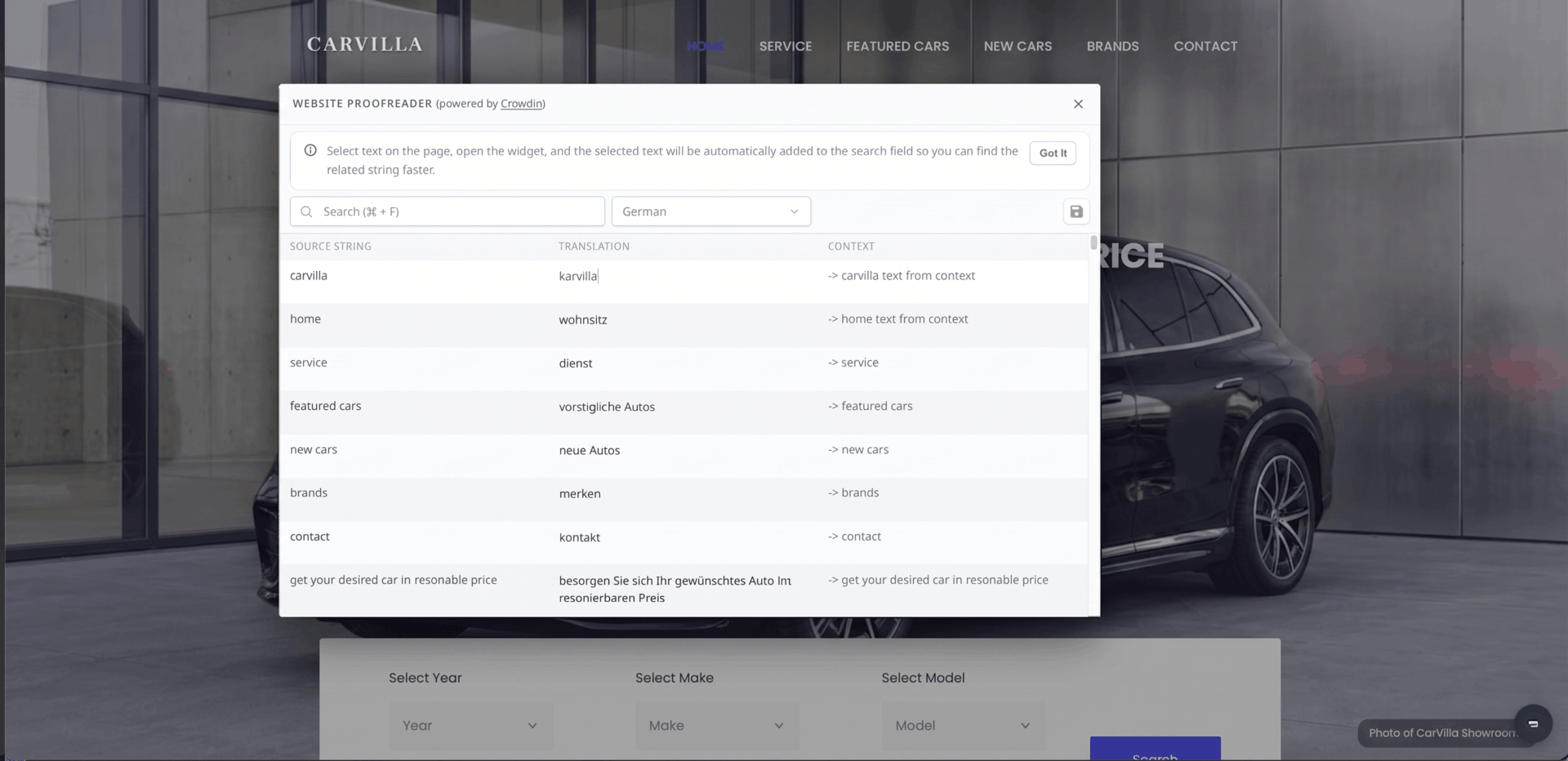 Website Proofreader widget by Crowdin
How to get started
- Install Website Proofreader from the Crowdin Store (requires Project Owner/Manager permissions).
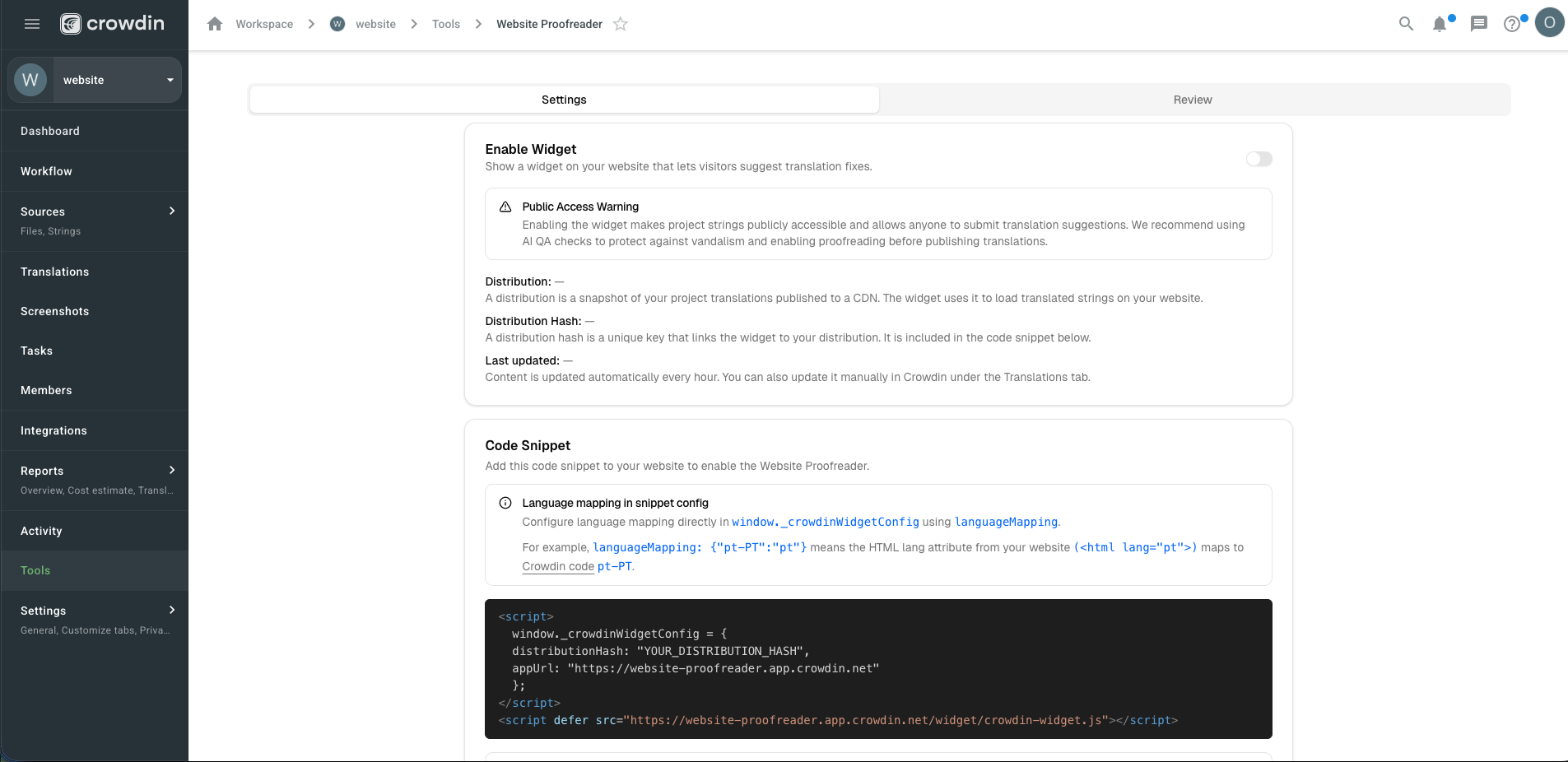
- To configure, go to Project > Tools > Website Proofreader. In the Settings tab, generate your code snippet and paste it into your website's code.
3.A discreet widget will appear on your site, allowing visitors to suggest better translations for any text they see.
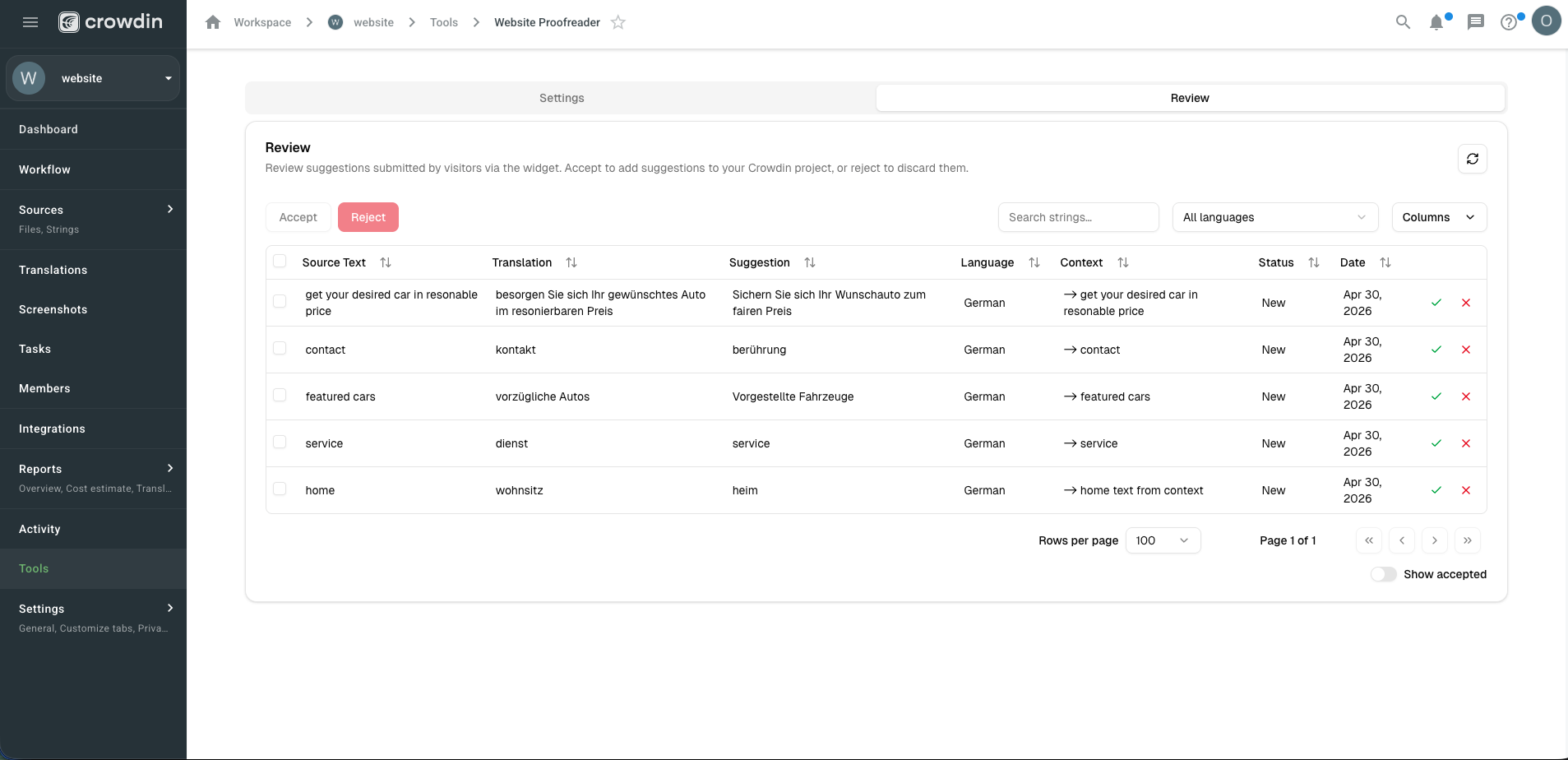
4.Manage and approve these suggestions under the Review tab. Once accepted, they are instantly integrated into your project.


Crowdin is a platform that helps you manage and translate content into different languages. Integrate Crowdin with your repo, CMS, or other systems. Source content is always up to date for your translators, and translated content is returned automatically.
Learn More- —Crowdin Enterprise
- —crowdin.com
Released on Apr 30, 2026
Updated on Apr 30, 2026
Published by Crowdin
Identifier:website-proofreader