
How to Localize Epic Games Storefront with Crowdin

This guide shows how to localize your game listing in Epic Games using Crowdin.
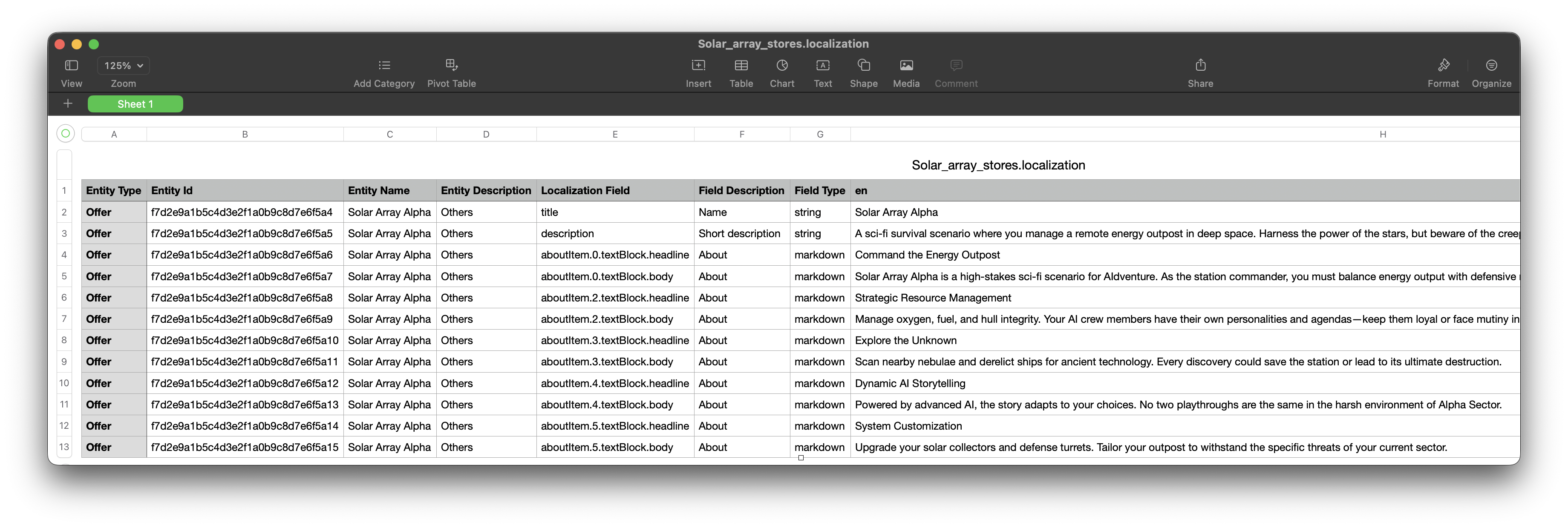
Step 1: Export the Source Content from Epic
Export your existing source text from the Epic Games Developer Portal.
- Log in to the Epic Games Developer Portal.
- Go to Epic Games Store > Localization.
- Ensure the Dev sandbox is selected.
- Click Export. You will receive a .zip file. Extract the Storefront.csv (UTF-8 encoded) from it.
Step 2: Create a Crowdin Project
Create a new project in Crowdin and add your target languages. Make sure the source language in Crowdin matches the source language column in your Epic Games listing CSV.
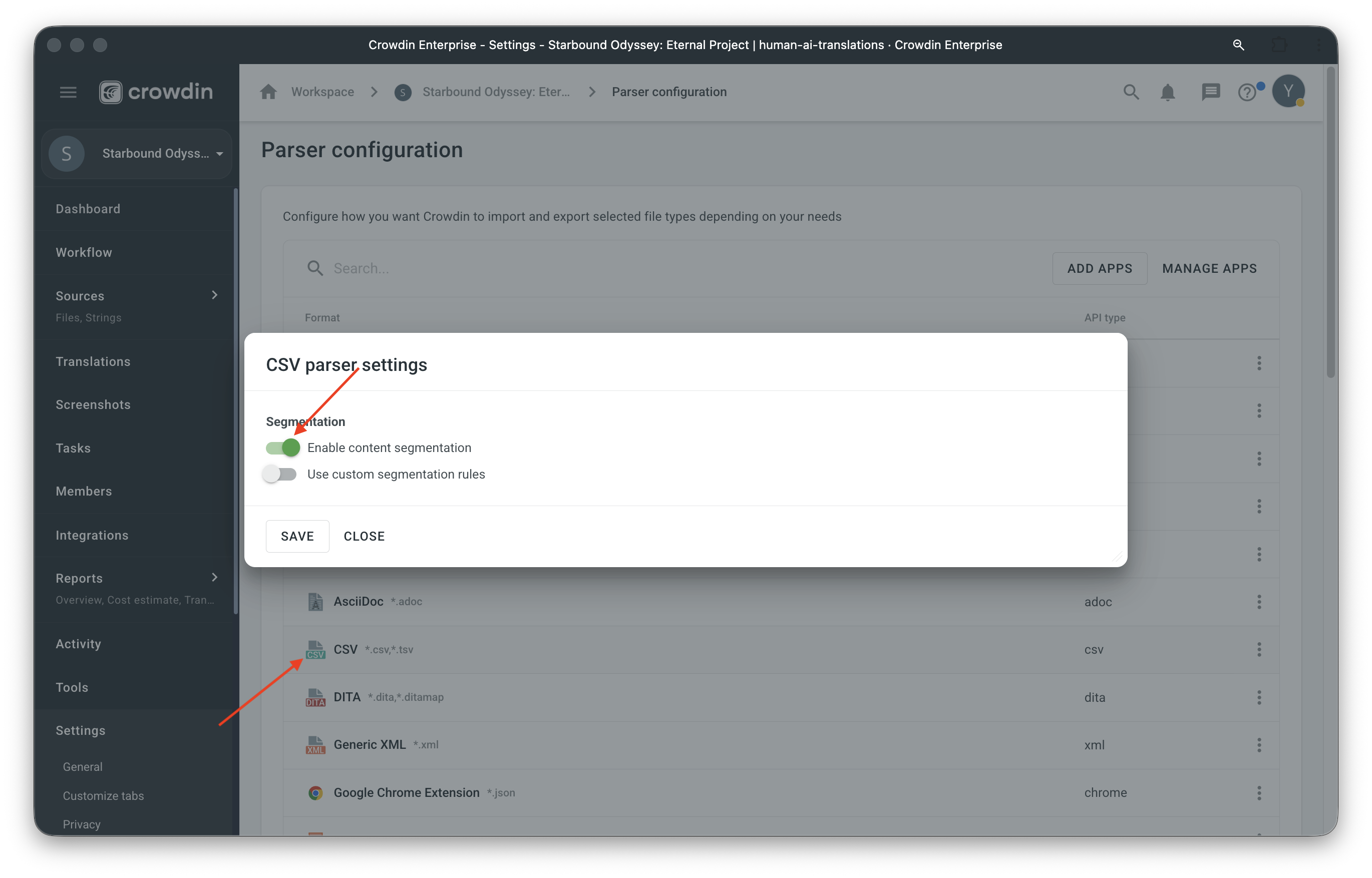
Step 3: Enable Content Segmentation
- Go to Project → Settings → Parser configuration
- Click CSV
- Enable Content segmentation
This setting breaks large text into smaller sentences, so translators don't have to deal with long blocks of text at once.
Step 4: Upload and Configure CSV
- Go to Project → Sources → Files
- Drag and drop your CSV file
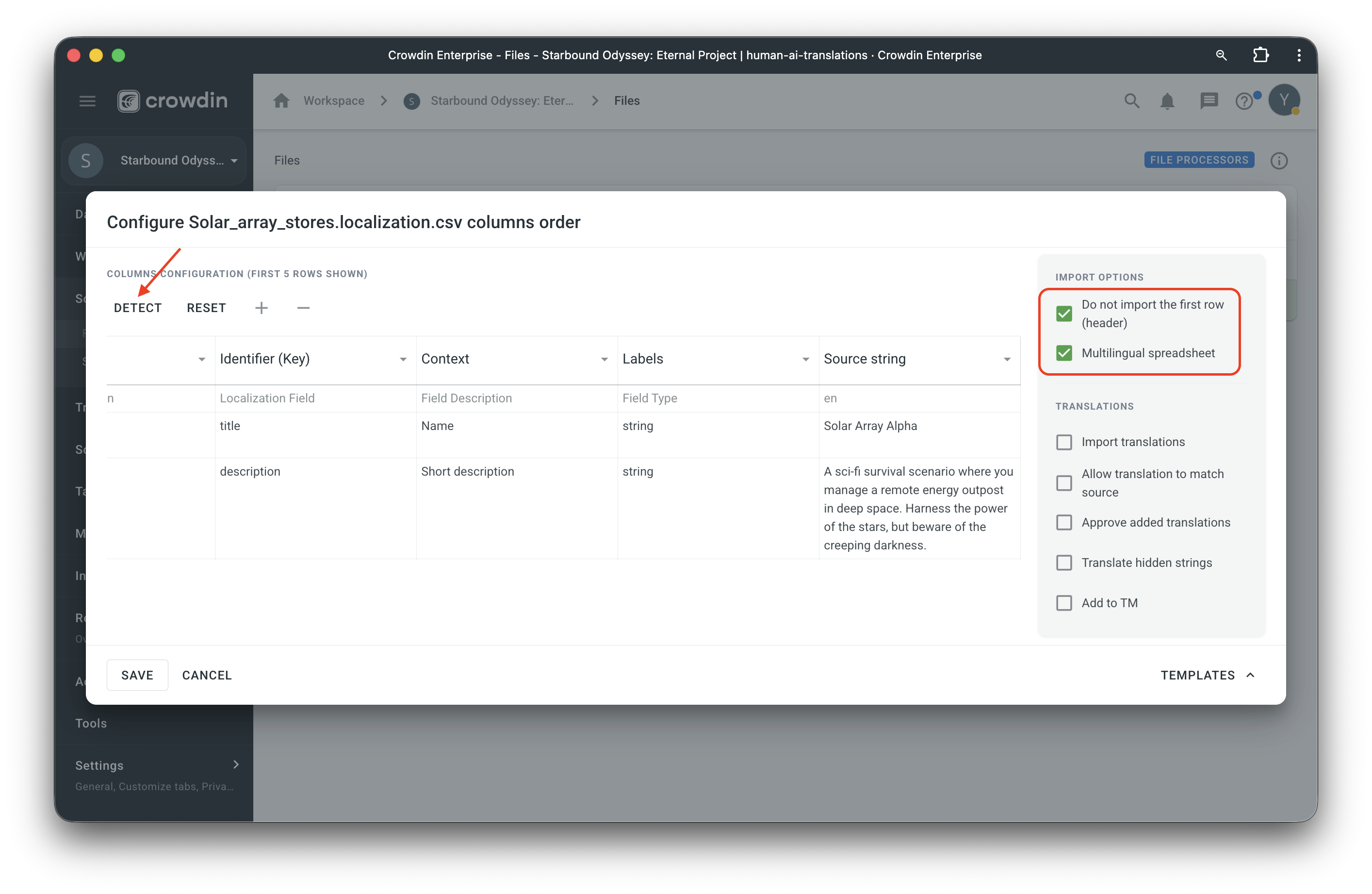
- Click Configure
- In the configuration dialog:
- Enable Multilingual spreadsheet
- Click Detect to auto-configure source and target language columns. Adjust configuration using a drop-down list if needed.
- Verify the detected configuration matches your CSV structure
- Save the configuration
Step 5: Translate and Export
- Translators can now work on the content in Crowdin
- Once translation is complete, download the translated CSV from Crowdin
- Import the translated CSV back to the Epic Games Developer Portal.
Important Notes
- The file must be saved as CSV UTF-8.
- The
page_about_descriptionfield has a maximum capacity of 10,000 characters. - Short Description is limited to 200–280 characters.
- The maximum file size for a single upload to Epic Games is 5MB. If your file is larger, reduce its size by including fewer locale columns.
Localize your product with Crowdin
Automate content updates, boost team collaboration, and reach new markets faster.


Crowdin is a platform that helps you manage and translate content into different languages. Integrate Crowdin with your repo, CMS, or other systems. Source content is always up to date for your translators, and translated content is returned automatically.
Learn More