
Link Crowdin volunteers to your reward system and download a Top Members report enriched with their external IDs
Requires Crowdin account
Contributor ID Link

Lets your Crowdin volunteers attach an ID from your reward system to their Crowdin profile, so you can pay them out without chasing the right username over chat or email.
Use it for anything you give contributors: in-game items, custom skins, NFTs or other crypto, store credit, or an internal ID from your own reward platform.
If you also want to recognise contributors with certificates, there are dedicated apps for that:
- Certificates for crowdin.com (already installed).
- Volunteer Certificates for Crowdin Enterprise.
This app handles the "where do I send the reward" part.
How it works
1. Install
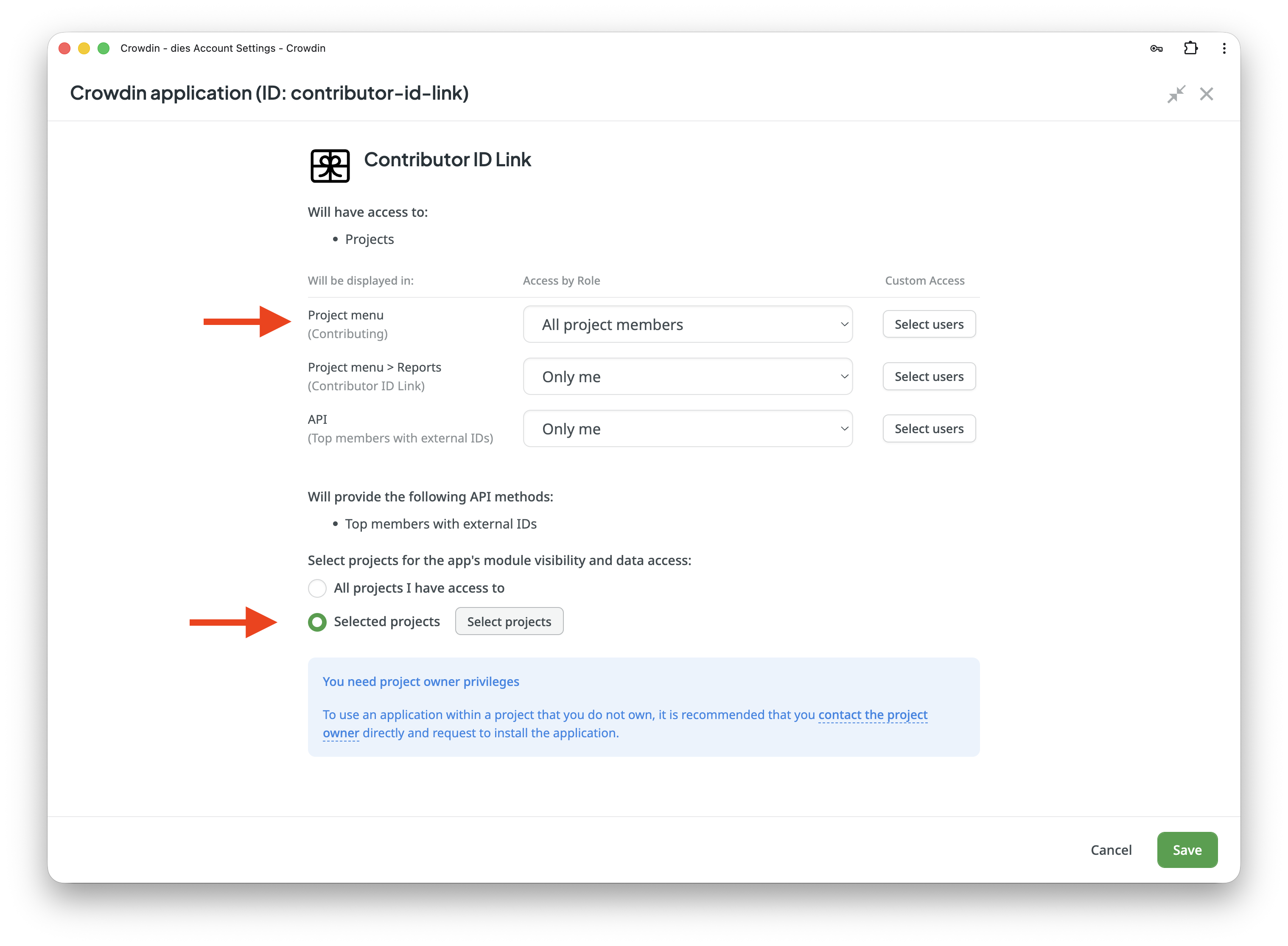
When you install the app, Crowdin asks which projects to enable it in. Pick only the projects where you actually want to reward volunteers.
The app adds three modules to those projects. One of them, the Contributing tab, is what volunteers see. It is restricted to managers by default so you can test things first. After you have configured it and checked it works, open the app settings in Crowdin and switch the Contributing module visibility to All project members.
Keep the other two modules (the manager Report and the API endpoint) restricted to managers.
2. Configure
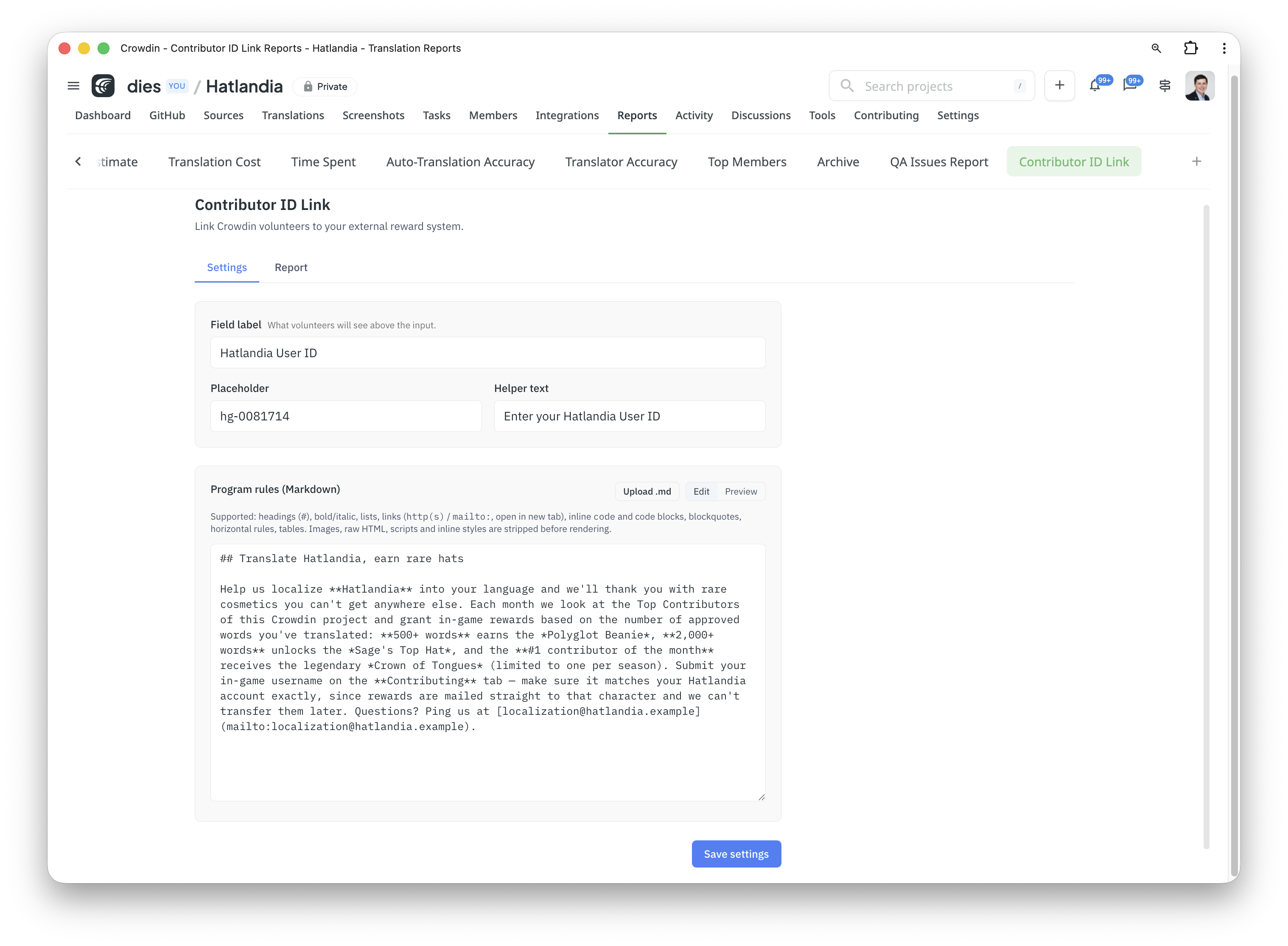
Open a project, go to Reports > Contributor ID Link, switch to the Settings tab and fill in:
- The input label, placeholder and helper text. This is the wording volunteers see, for example "Your in-game wallet address" or "Your Discord user ID".
- The program rules, in Markdown. Describe how your reward program works (who qualifies, what counts, what they get, how often you pay out) and, in the same text, explain step by step how to find the right ID in your system. Volunteers will not guess.
3. Volunteers submit
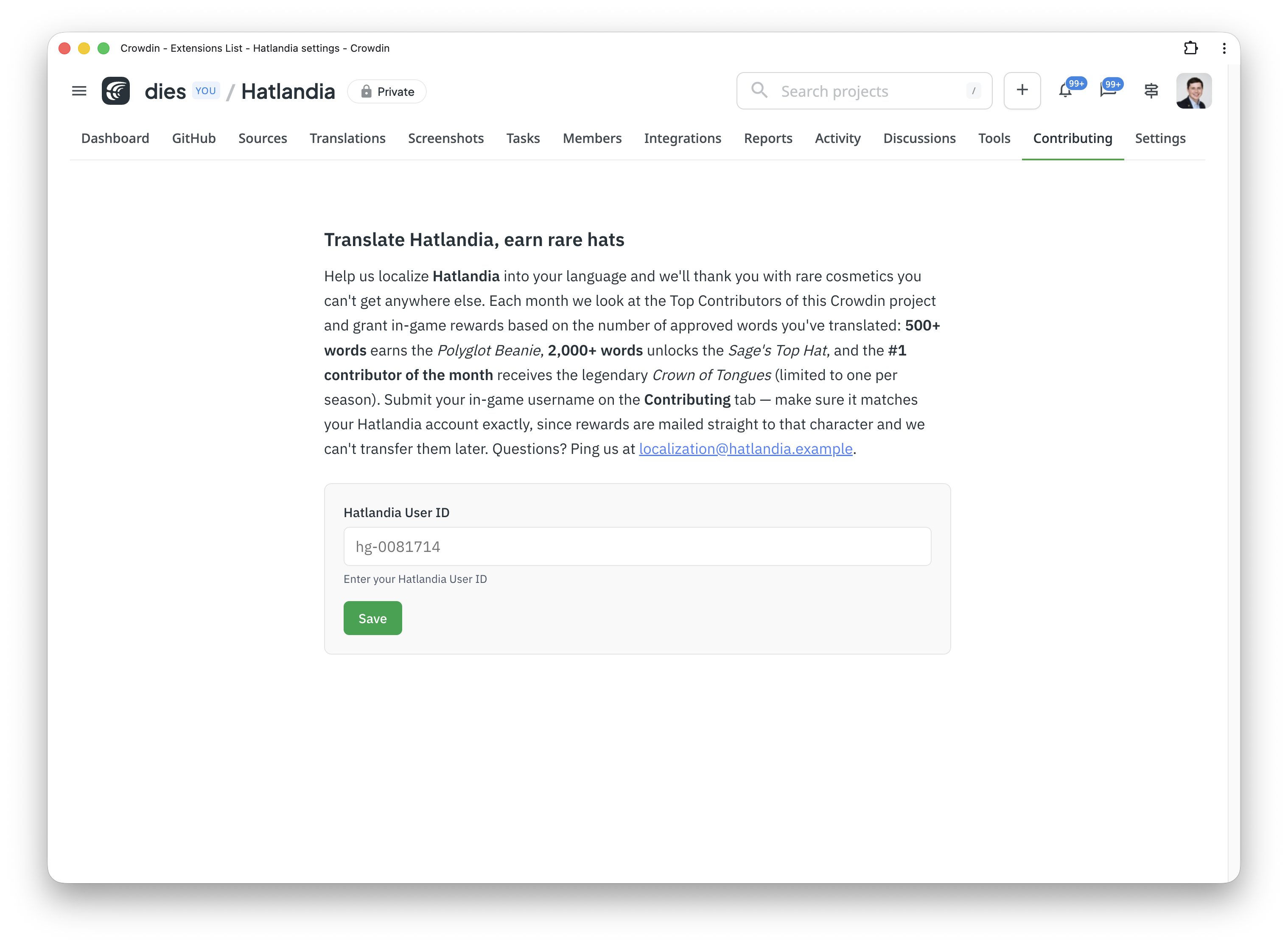
Volunteers open the project, click the Contributing tab, read your rules, paste their ID and save. They can come back and update it any time.
Crowdin will not notify them about the new tab on its own, so tell your volunteers about it the way you usually reach them (project announcement, Discord, mailing list, etc.) and point them at the Contributing tab.
4. Pull the report
When you want to reward people (monthly, quarterly, or on demand):
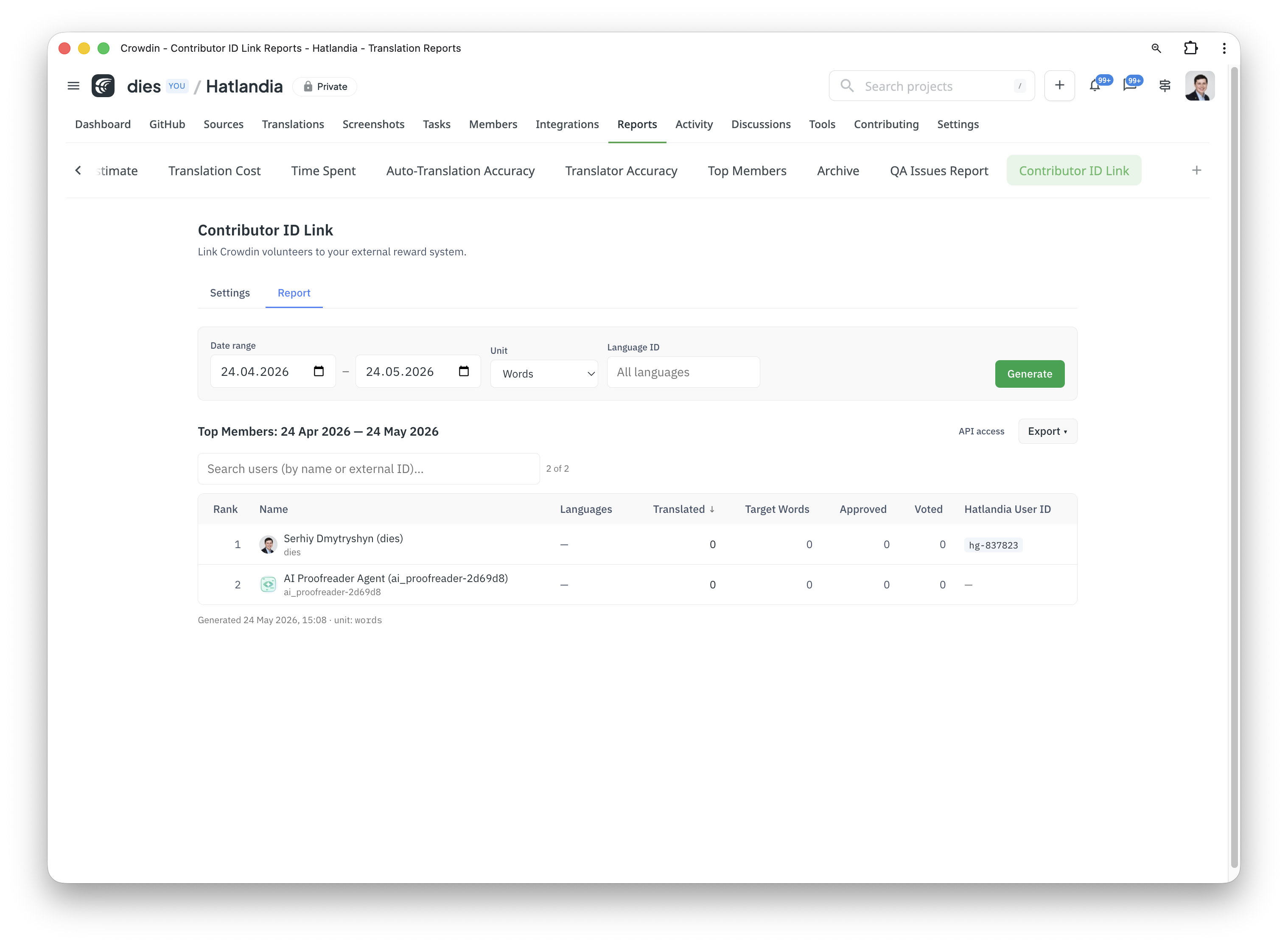
- Open Reports > Contributor ID Link > Report.
- Pick the unit (words, strings, characters), the period and optionally a target language.
- Click Generate. You get the standard Crowdin Top Members report with one extra column: the external ID each contributor linked.
- Download as CSV and hand it to whatever script pays them out.
5. Or automate it
The same data is available through Crowdin's REST API, so you can run payouts on a schedule from your own server. Authenticate with a Crowdin Personal Access Token that has the application scope:
GET https://api.crowdin.com/api/v2/applications/contributor-id-link/api/top-members
    ?projectId={projectId}&dateFrom={iso8601}&dateTo={iso8601}&unit=words
Response is the normal Top Members payload with an externalId field added to each row.


Crowdin is a platform that helps you manage and translate content into different languages. Integrate Crowdin with your repo, CMS, or other systems. Source content is always up to date for your translators, and translated content is returned automatically.
Learn More- —crowdin.com
- —Crowdin Enterprise
Released on May 24, 2026
Updated on May 25, 2026
Published by Awesome Crowdin
Identifier:contributor-id-link